
Where to find AIKA
AIKA appears as a bubble icon in both the portal and the app. You'll only see it if your admin has granted you AI Functionality permission — if you don't have this permission, the icon won't appear at all.

What AIKA can do
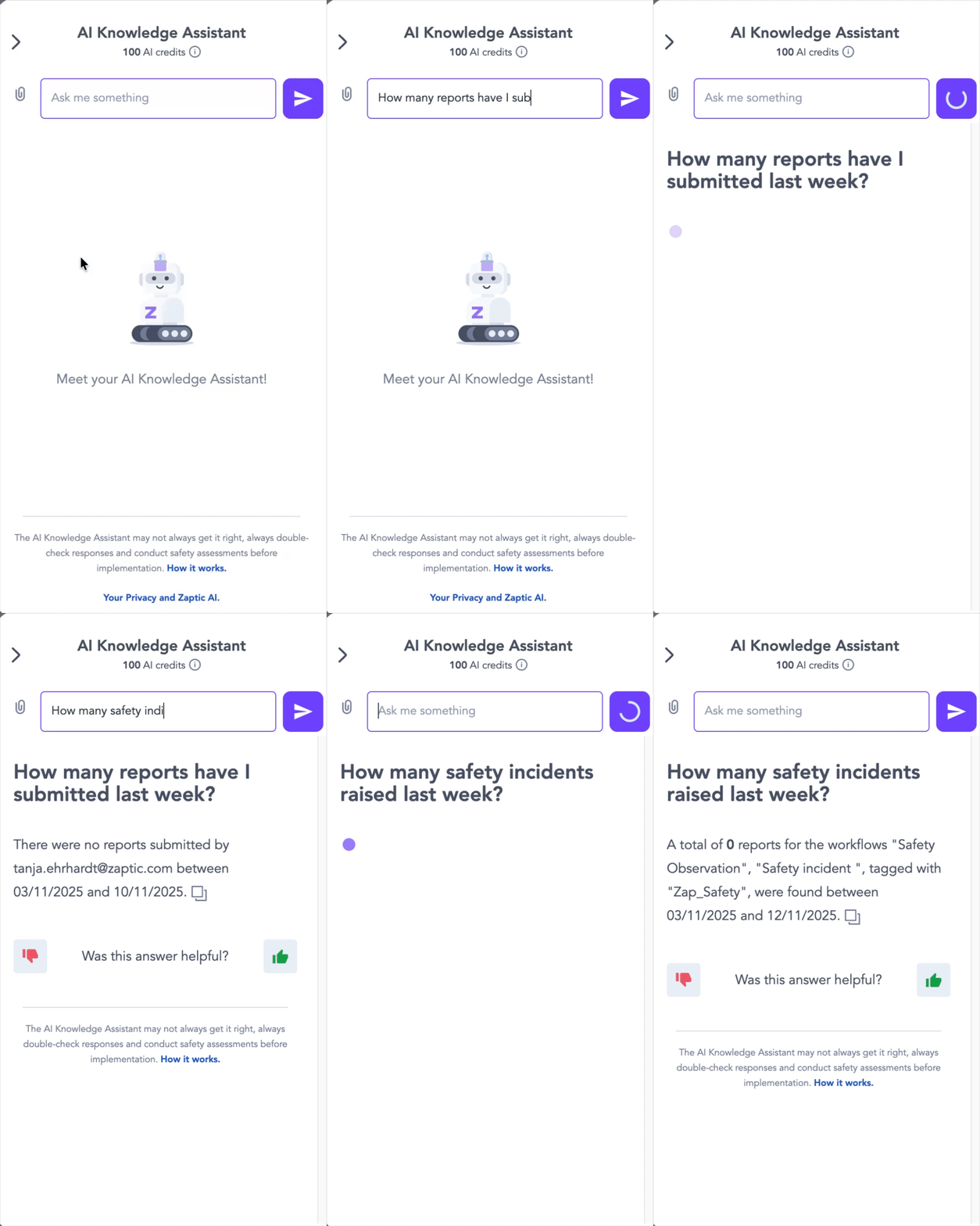
Ask AIKA a question in natural language — about an SOP, an Elog, a changeover, or anything else in your knowledge base — and it will pull the answer from your guides and documents (including video guide transcripts).
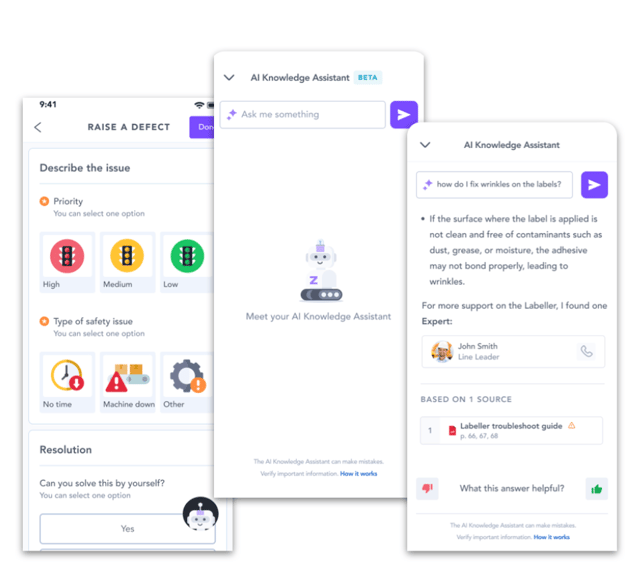
If you have report access, AIKA can also surface "dark data" that's normally hard to find: shift notes, defect resolutions, and comments left on past reports, so you get the benefit of solutions your team already worked out.
With report access, you can also ask AIKA for analytics in plain language — raised defects, shift events, safety issues, waste counts, and more — instead of digging through boards yourself.
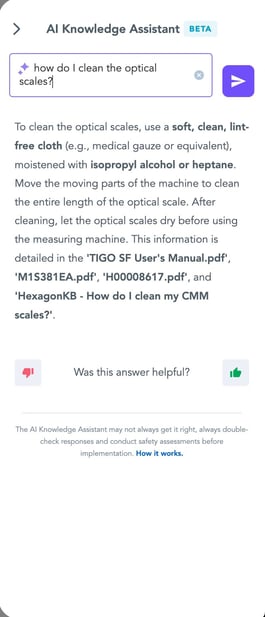
Every answer shows its sources, so you can check where the information came from, and you can rate answers to help improve them over time.
Example questions:
-
-
With guides access: "What's the process for a changeover on Line 3?"
-
With reports access: "How many safety incidents were raised last week?" or "How did we resolve this issue last time it came up?"
-
AIKA Permissions
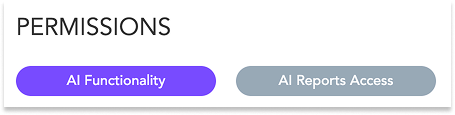
There are three levels:
-
- No access — AIKA is not visible to this user.
- AI Functionality permission — enables AIKA for guides only (standard procedures, guides, and video guide content).
- AI Reports Access — enables AIKA for guides and completed reports, including comments left on those reports.
Build a task with AI
In Flow Builder, there are two ways to build a task with AI instead of from scratch:
-
- Tell it what you want — click "Create with AI" and describe the task in your own words. AIKA generates a full task build — steps, routing, and details — based on the Current Best Approach (CBA) content in Intellect.
- Generate it from a document — upload a file instead — PDFs, PowerPoints, Excel sheets, images, transcripted videos, or existing guides — and Intellect IQ will extract the useful content and turn it into flow content.
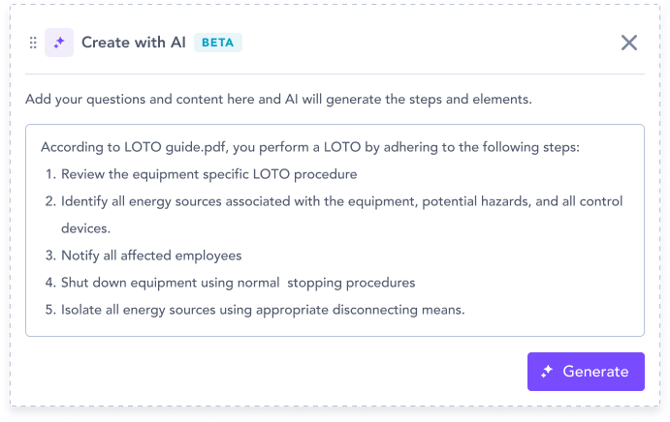
AIKA can also generate new guides and flows directly from your existing reports, drawing on both the report content and any comments on it — so troubleshooting notes, root-cause insights, and resolutions aren't lost when turning past experience into new guidance.
Example: clicking "Create with AI" and typing "changeover procedure for the wrapping line" to get a full draft flow to refine, rather than building every step manually.
AIKA Credits
AIKA runs on a usage-based credit system. Each site's licence includes a set number of free assists (credits) per month — these refresh monthly and don't carry over if unused.
A credit is only used when AIKA successfully returns an answer; if AIKA doesn't know the answer, no credit is consumed. Building a task with AI draws from the same credit pool.
If your site needs more assists than your monthly allowance covers, additional capacity can be added — speak to your account team about upgrading your usage band.
Getting the best out of AIKA
AIKA is only as good as the knowledge base it draws from. A few habits help it perform better:
- Keep your guides and documents up to date, and upload new ones as your processes change.
- When writing reports, capture the solution as well as the problem — this is what AIKA surfaces later when someone hits the same issue.
- Structured prompts and reports return better results — the more clearly information is captured or the request is phrased, the more accurate the answer or generated workflow will be.
How It Works
-
- AIKA processes your guides and reports into compact summaries ("embeddings") that capture their key meaning.
- When you ask a question, AIKA searches these embeddings for the most relevant information, filtering out anything that isn't relevant to your current work context.
- AIKA uses a large language model to craft a clear answer and references the original source so you can verify it. If it doesn't have enough information to answer confidently, it will tell you rather than guess.
What Else You Need to Know
-
-
User Access Control: Permissions allow you to manage who can use these features.
-
Data Privacy: Your data remains secure and is not used to train AI models.
-
Local Knowledge Only: AIKA draws exclusively from your instance’s guides and reports, ensuring data relevance and security.
-
-
- AIKA is multilingual: questions and answers work across languages.
- AIKA is multilingual: questions and answers work across languages.
Find out more about these new AI features through our FAQ page here.