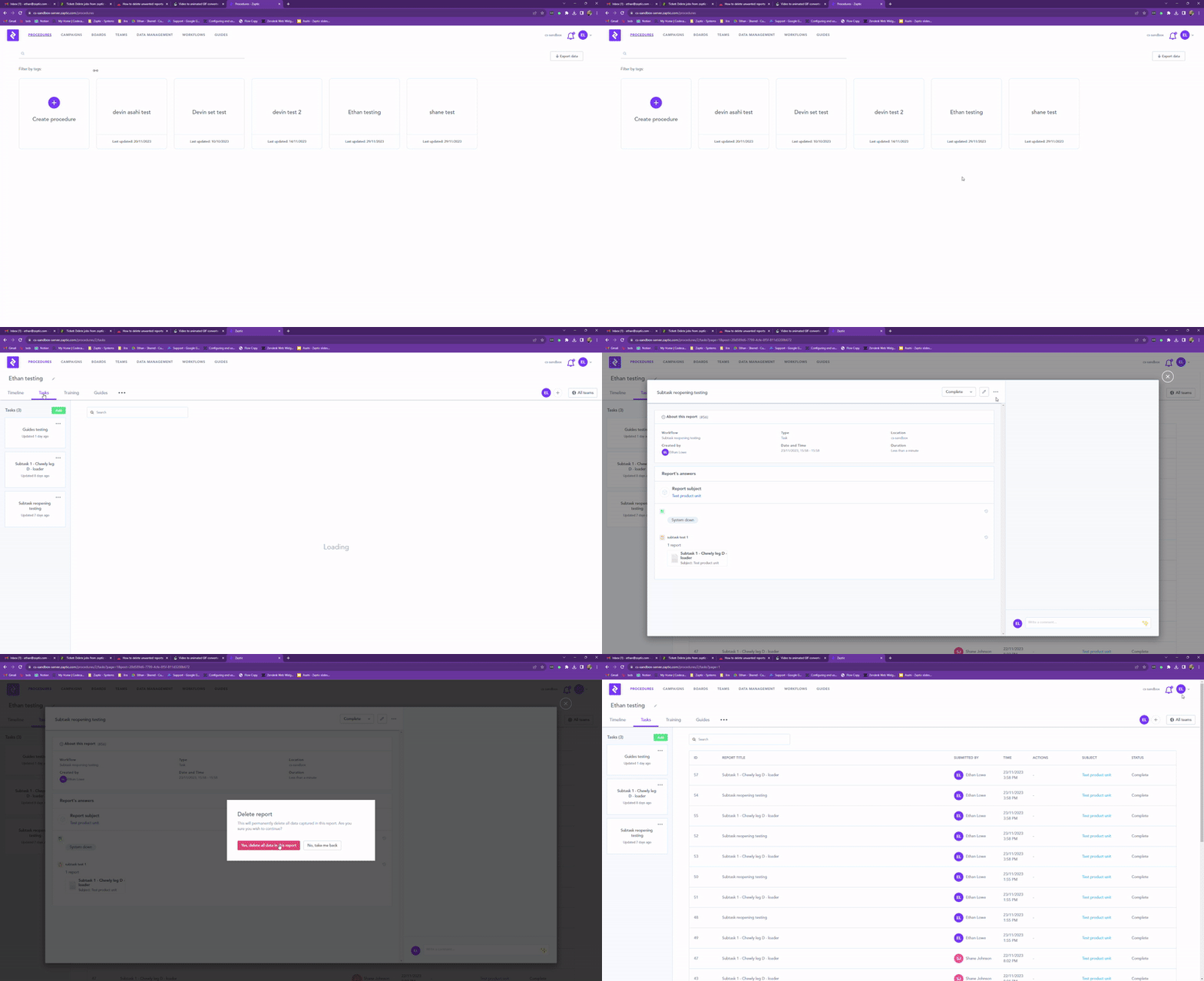
- Access to the Zaptic Portal through my.zaptic.com
- Portal Management permissions within the portal
- You need to be a Collaborator on the procedure that contains the reports you wish to delete
To delete unwanted reports, you navigate to the procedure management tab within the Zaptic portal.
You can also access these reports through a board link, however it is usually easier to complete this task via the procedures page as you can confirm necessary collaborator access and delete several reports quickly, if necessary.
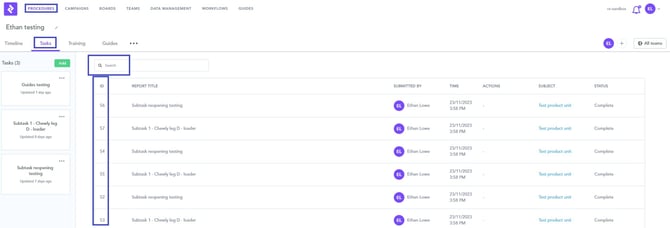
Once in the procedure management tab, navigate to the procedure that contains the reports you wish to remove. From the tasks page, you can easily search for the report ID or find the report in the list shown.
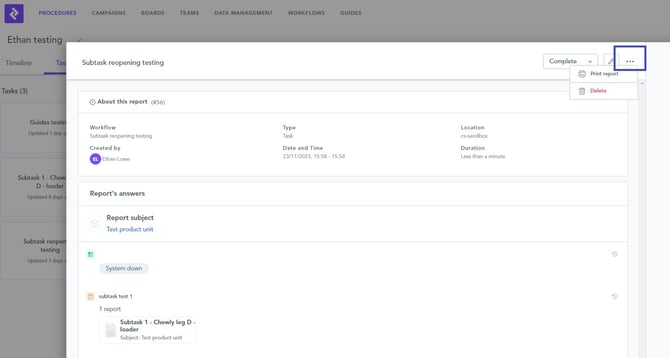
Once found, click into the report you'd like to delete and press the three dots to present the 'delete' button - which will remove the report once pressed.
It is recommend to remove reports with caution as this data will be lost after deletion. Zaptic recommend you only remove reports that were created as tests or that do not contain any functional data you may need in the future.
Video of this process -