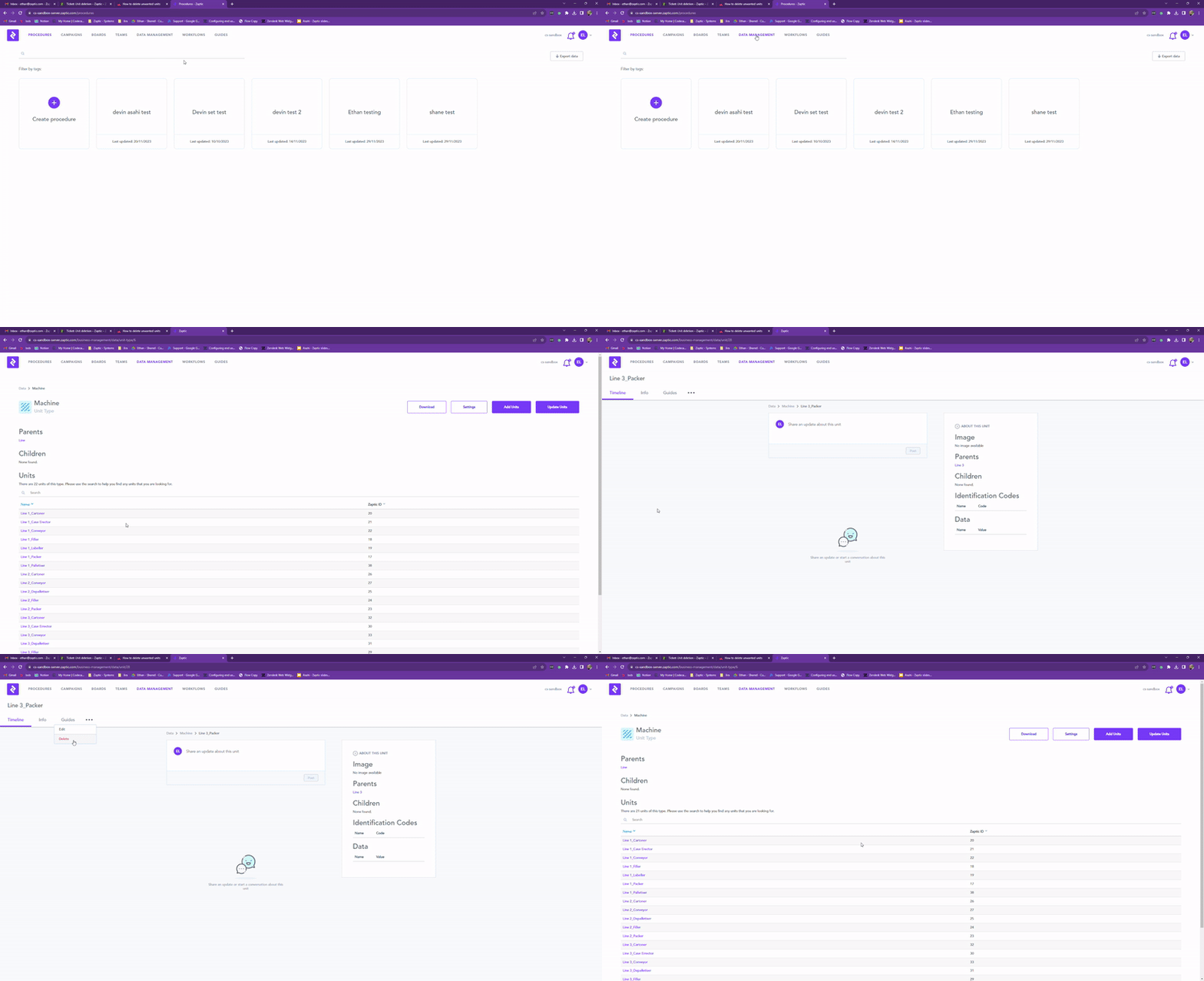
What you need in order to be able to delete units within Zaptic -
- Access to the Zaptic Portal through my.zaptic.com
- Data Management permissions within the portal
- You need to know either the name or ID of the unit you wish to delete
To delete unwanted units, you navigate to the data-management tab within the Zaptic portal.
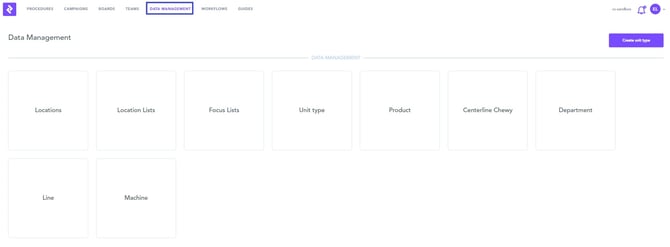
Select the unit type containing the unit you wish to remove, click into this and then select/search for the unit.
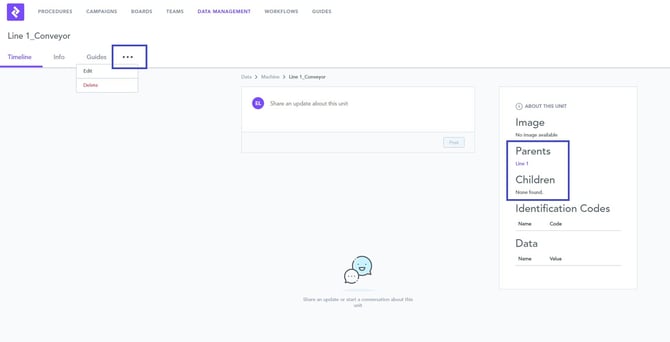
When viewing the unit you wish to delete, please check any parent/children relationships and consider the impact removing this unit could have on your hierarchy.
If you wish to proceed, you can click the three dots to show the 'delete unit' option.
Below outlines this process in video format -