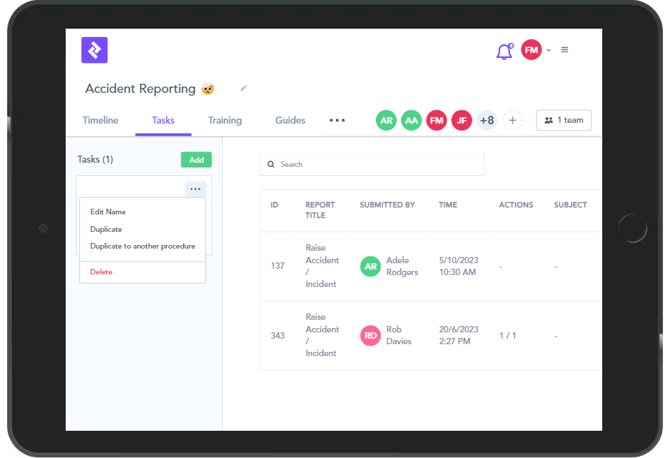
Within an existing procedure, if you click on the ... dots, you will see a few options - Edit Name, Duplicate, Duplicate to another procedure - or Delete:
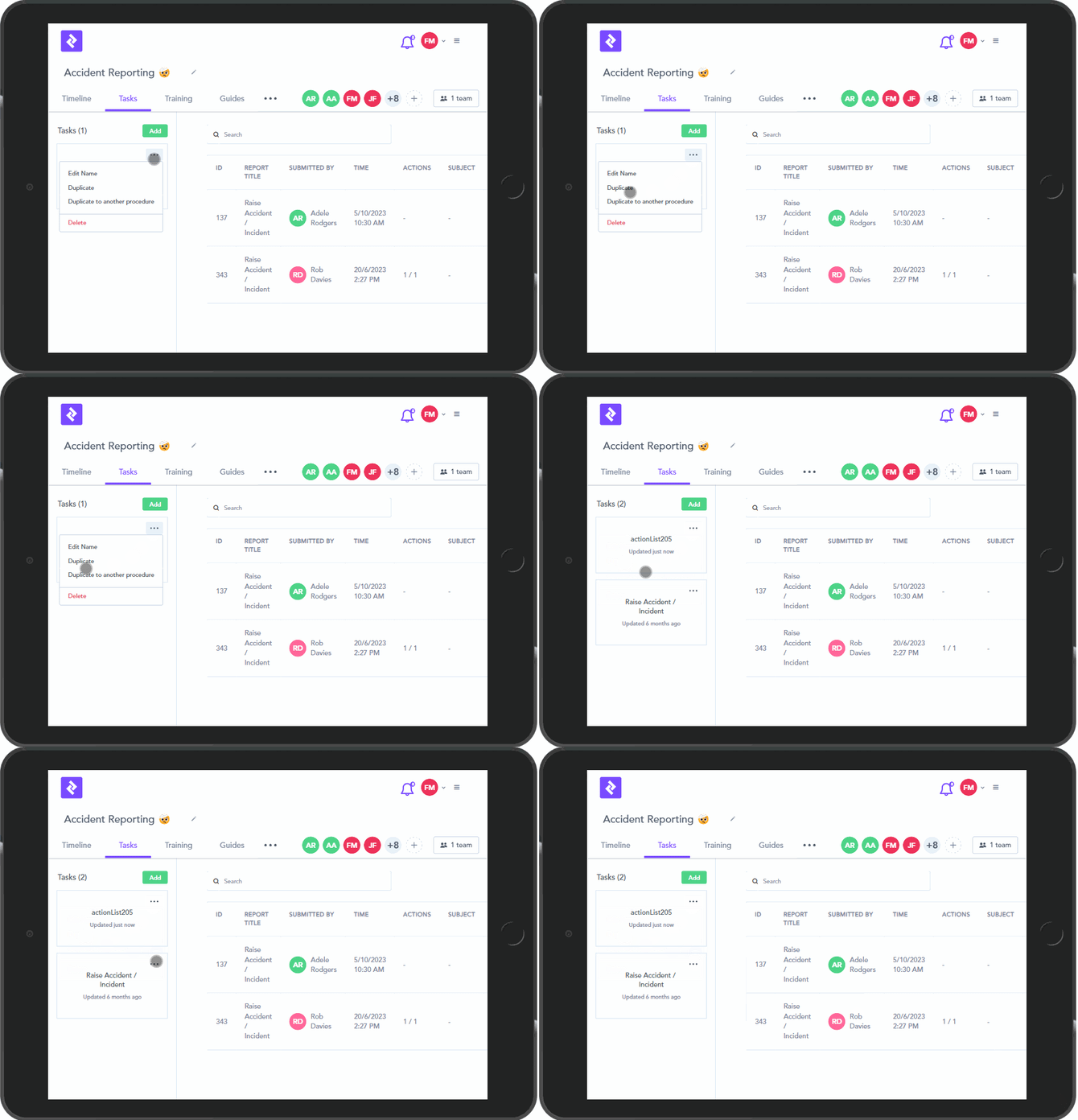
If you click on Duplicate, it will create a carbon copy of your Procedure, which you will need to rename:
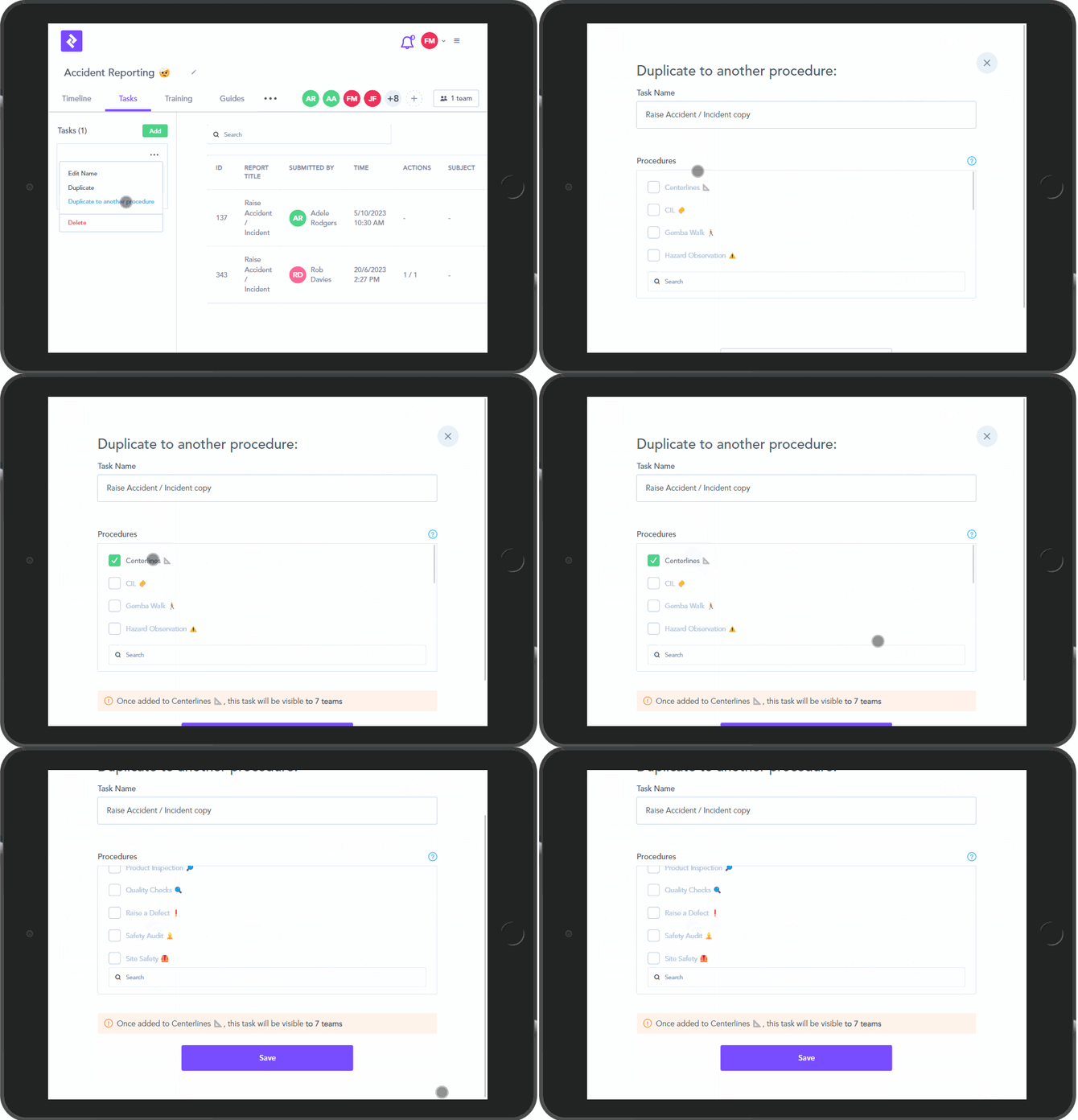
If you click on Duplicate to another Procedure you will have the task copied to another Procedure, which you will have to choose. You can rename the Task at this stage (as it will have 'Copy' added on to the name by default).
Once you click Save, it will be copied over: