
You can reset a forgotten password from the Zaptic login page, when trying to sign in to the portal or the app.
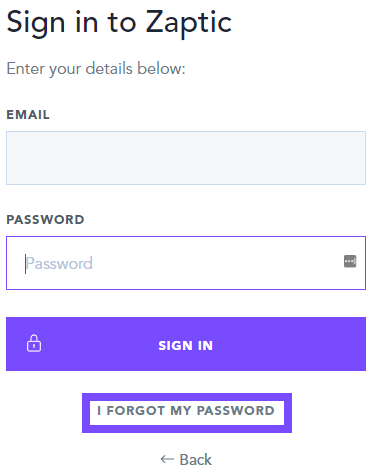
After entering your email, if no single-sign-on is in use, you will be taken to a page asking for your password. Here you can see the ''I forgot my password'' option which will allow you to reset your password by sending a reset link to the email address associated with your account:
Note: In situations where a dummy email is in use, please contact support@zaptic.com providing the email address associated with your account and informing them that you cannot reset using this method as the email is a dummy email.