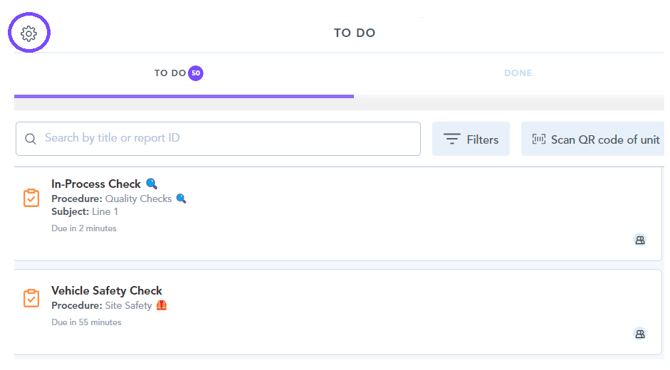
1. To access the troubleshooting page, you first need to navigate to the settings cog found in the top left corner of the to-do list page of the app:
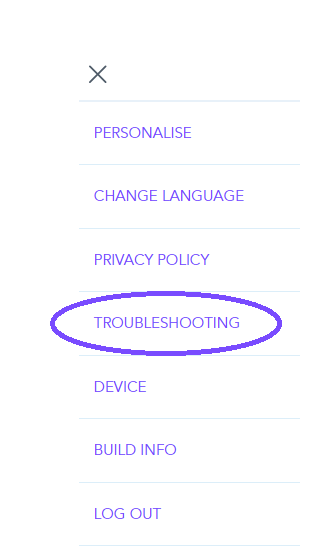
2. Then select the troubleshooting section:
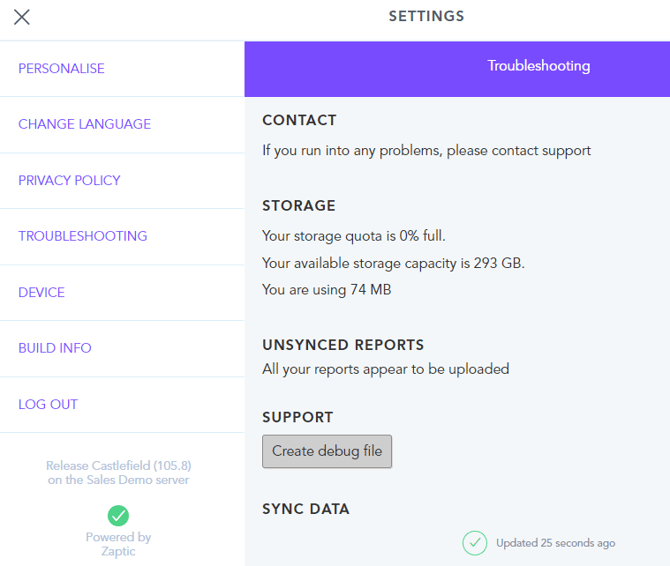
3. This page can be used to check for any un-synced reports, see when the app was last synced with the server, and you can also create a debug file from this page that you can attach when raising support requests to assist our support engineers in investigating any issues: