
To bulk invite users, within the Teams tab, please click on the button.
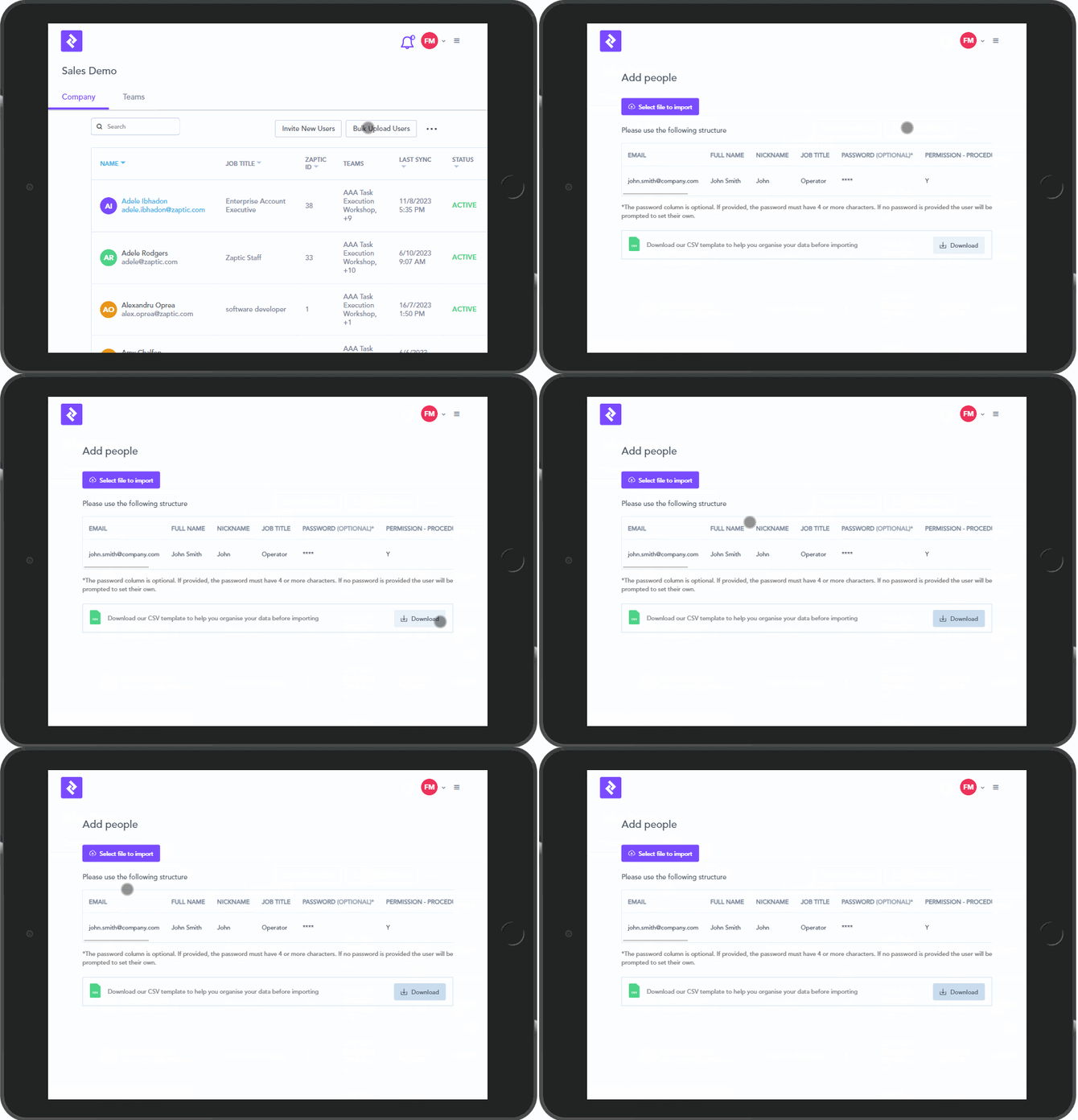
You will be prompted to download a CSV template to help you organise your user data before importing back into Zaptic. Please ensure you complete the data in the CSV file as shown in the example on the "Add People" page.
The password column is optional. If provided, the password must have 4 or more characters. If no password is provided the user will be prompted to set their own password or use Single Sign On.
You will need to complete this CSV file and save it locally so you can click on  .
.
Once you have selected the file to import, immediately an invitation will be sent to your team member.
Should you find that you have incorrectly set this user up, you can search for their name witihin the Teams tab and either Revoke or Remove their invitation.