
Released 4th June 2025
Welcome to the latest release of Zaptic! Please continue reading to discover what we’ve prepared for you in this version.
New features
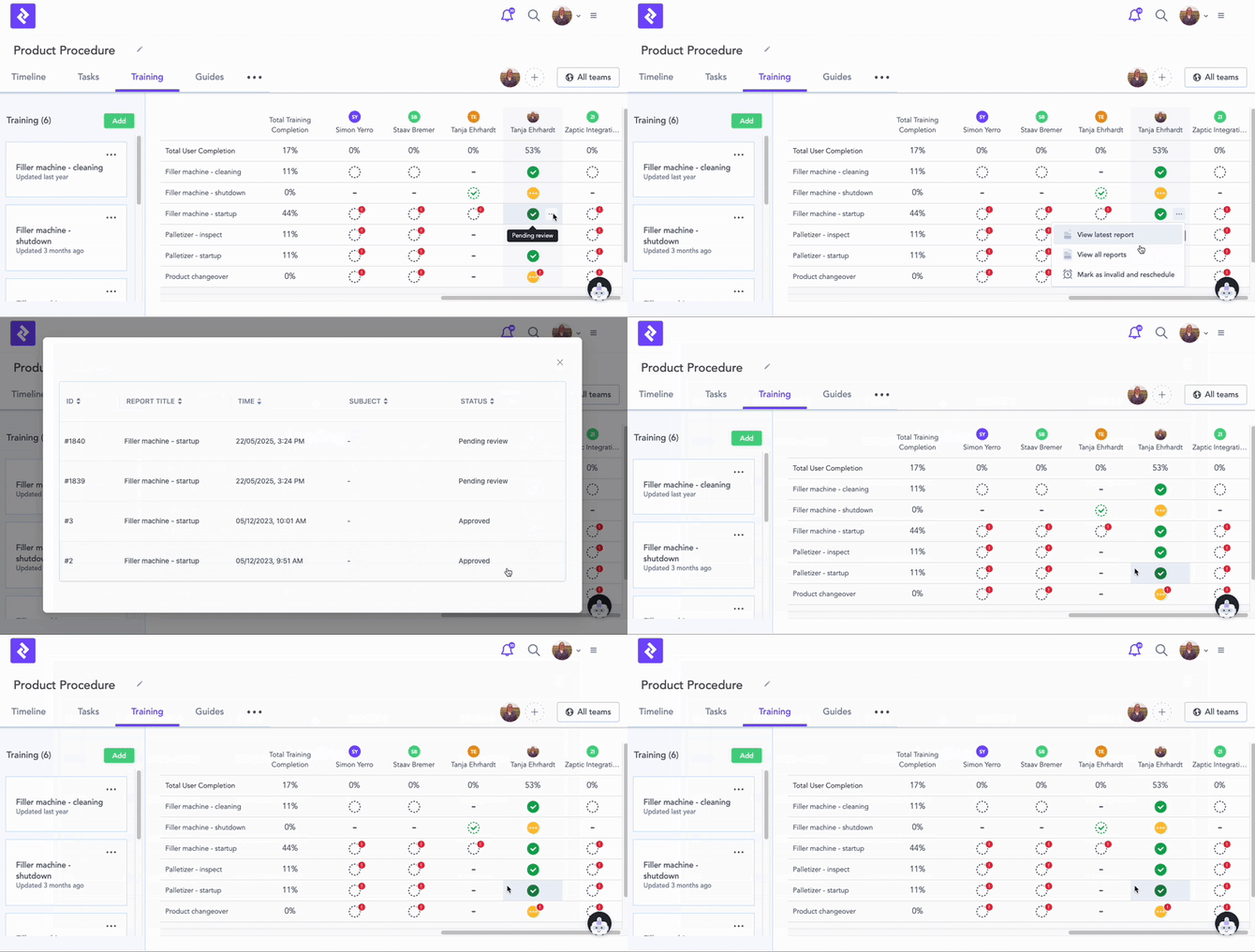
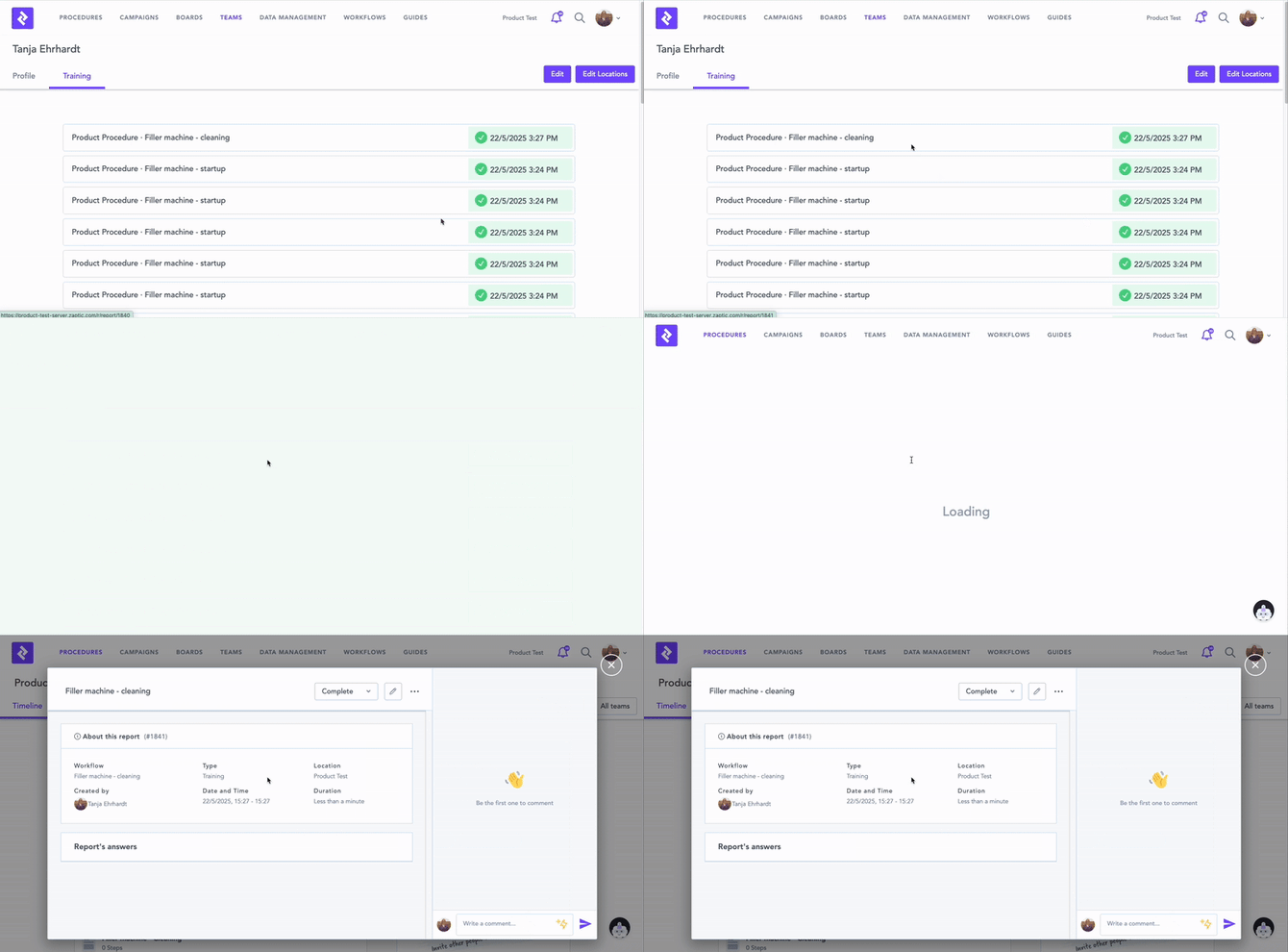
See all training reports
See all historical reports for a particular training module. Available in the profile page in teams and the training matrix. This feature can also be enabled in the skills matrices in board upon request.
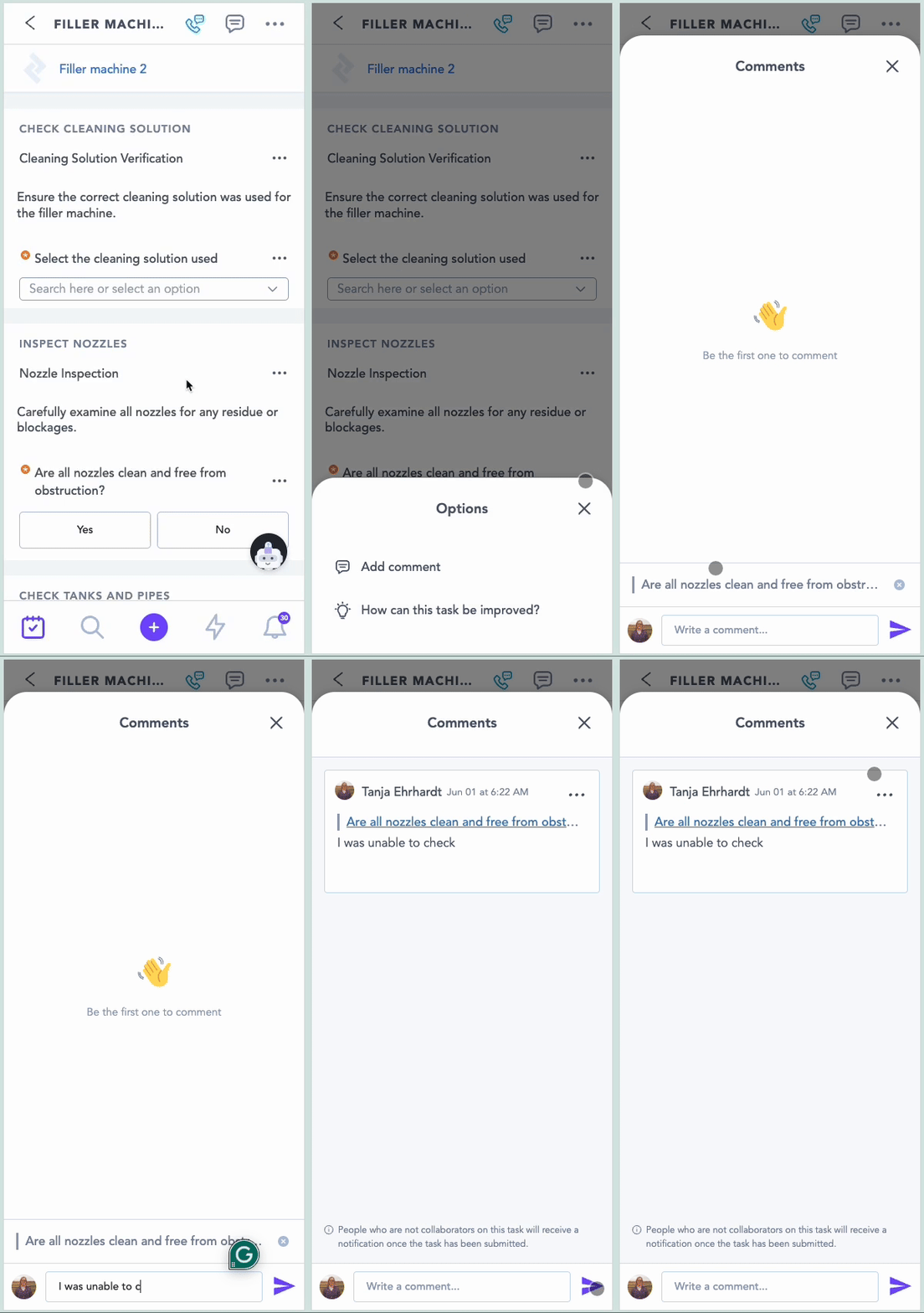
Comment during task execution or training
In-context commenting during task execution or training will streamline communication by allowing team members to ask questions, provide updates, share knowledge, and improve issue resolution directly within tasks.
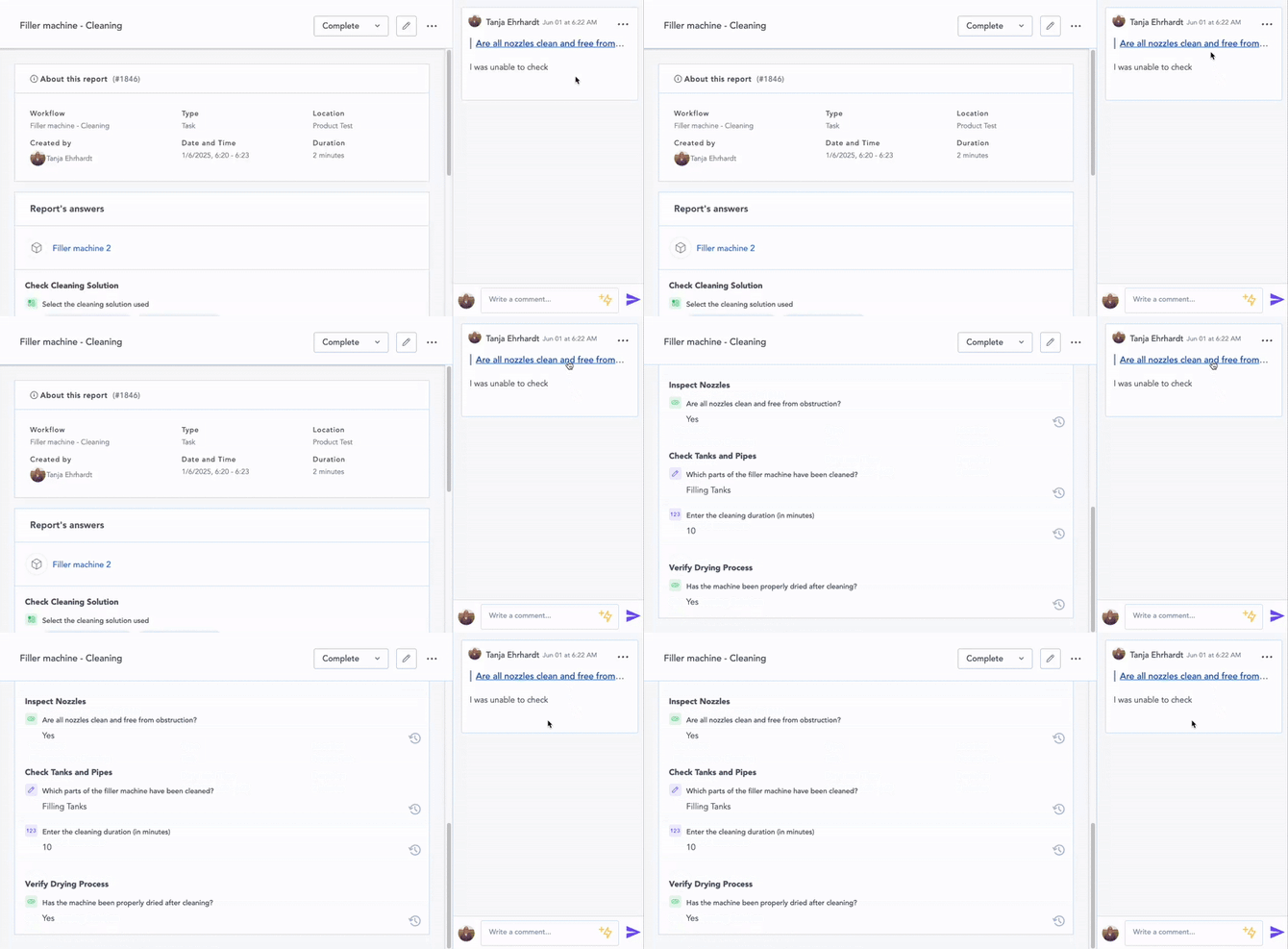
Comments automatically reference their associated questions, and clicking a comment navigates directly to that question for easy review.
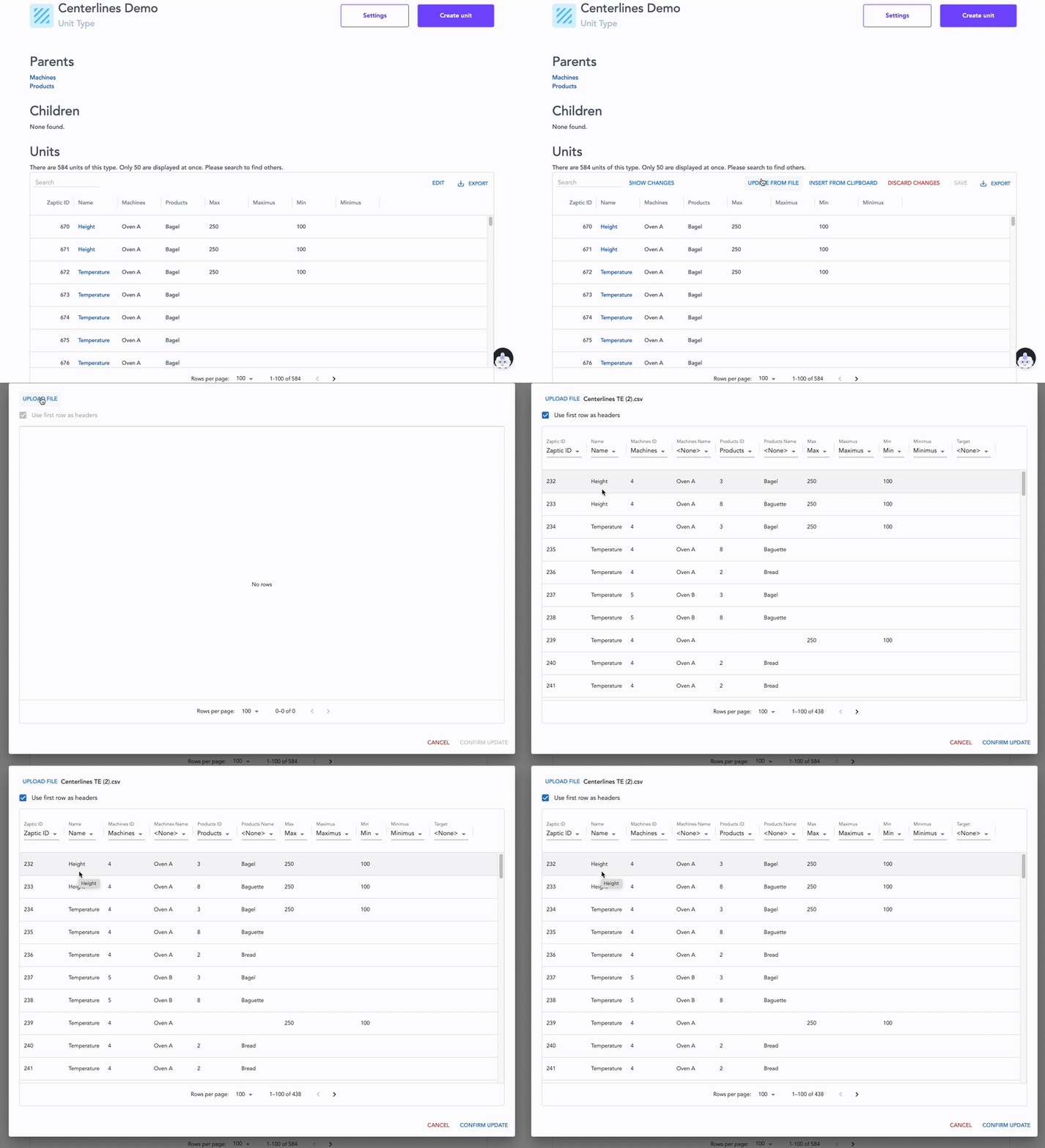
New way to bulk create / update units
Users can now efficiently update and add new units by uploading files directly to the dedicated unit data management table. This provides a transparent view of the data being uploaded, allowing for necessary manipulation before final submission. [Click here] to find out more about the new unit management table.
Enhancements
Thanks to your valuable feedback and continuous engagement, we've understood and prioritised what matters most to our customers. We've listened, we've acted, and now we're excited to roll out these improvements that you have asked for.
Super User permission rename
The "Super User" permission has been renamed to "System Admin" for improved clarity.
Fixes
The following bugs have been fixed as part of this release:
- Unable to move elements between steps in flow authoring.
- Hungarian translation for communicating when todo items are due.
- Performance issues loading reports using an API.
- Report loads slowly when it includes units from a type with many associated units.
- Text element shows "no data" instead of displaying the text content in the report.
Note for accessing training data for teams as of this release
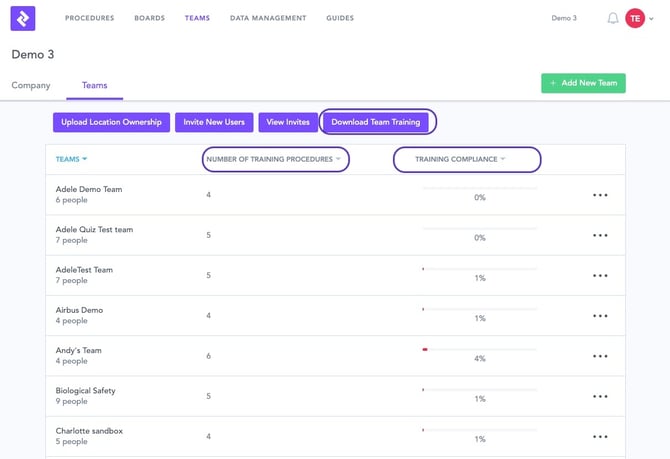
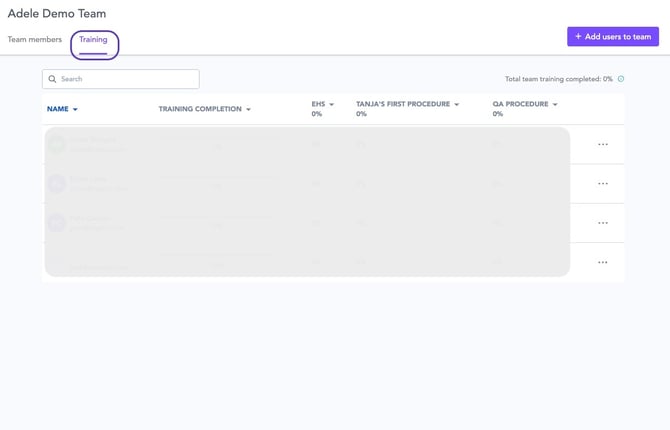
The following features will be removed from the training section in the Teams module (they will be accessible in the skills matrices in Boards)
- Download team training
- Number of training procedures and training compliance columns on the overall teams page
- Training tab under individual teams
The "Download user training" option is still available in the portal.
Note for BI boards:
- Viewing all training reports: The functionality to view all training reports is also available for skills matrices in BI boards - please contact us to request this.
- Viewing training data for teams and downloading training data: This data is already available to you in the skills matrices. You can also download the user training data from the training section as this has been retained.