
Released on 28/05/2026
Intellect IQ just got better. This release is all about working smarter — with a more efficient flow administration experience and a sleek new look to go along with it.
Continue reading to discover what we’ve prepared for you in this version.
What's New and Exciting
Streamline Flows with Multiple Report Subjects
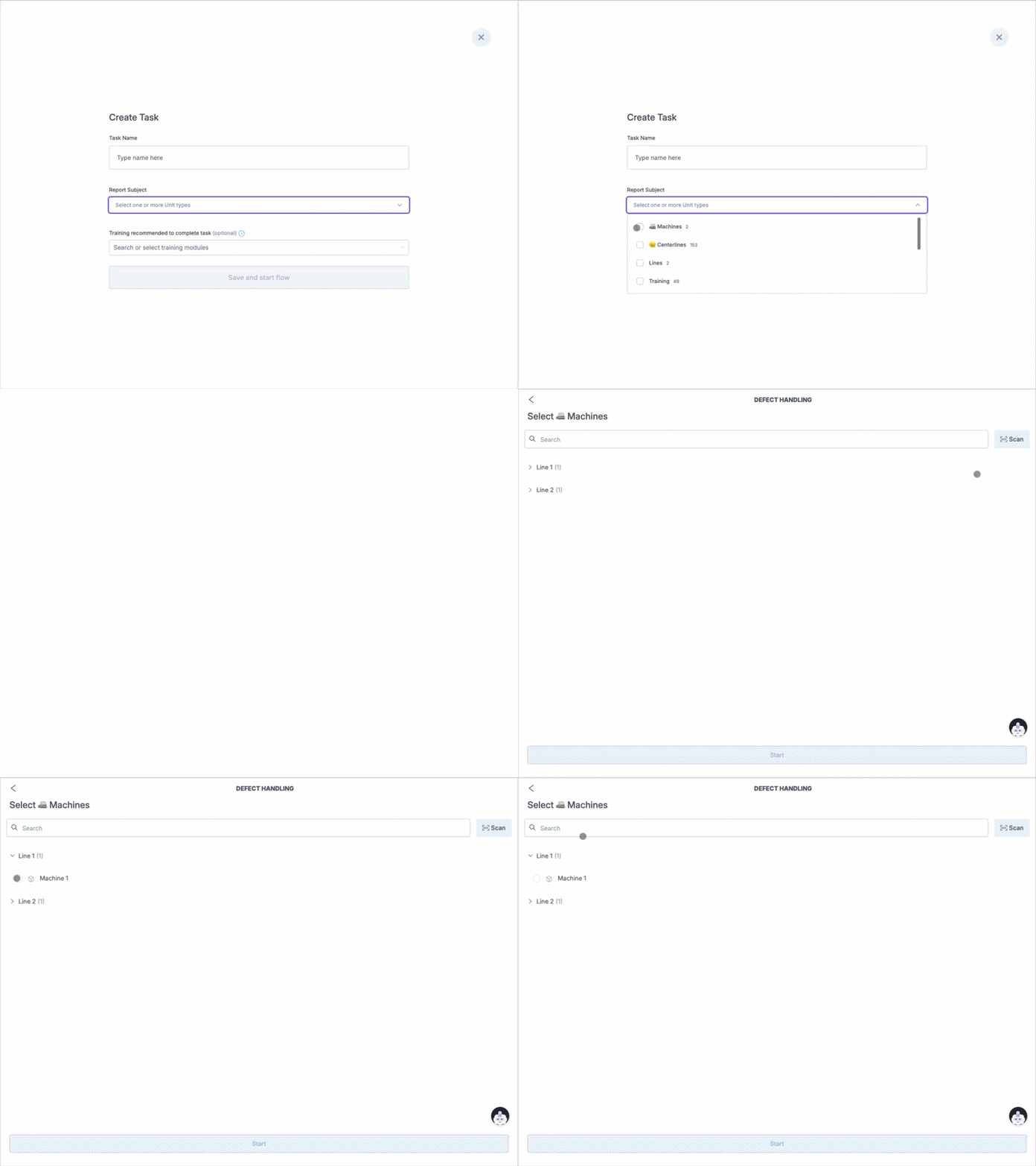
Flow authors can now assign multiple unit types as the report subject on a single flow, eliminating the need to create and maintain duplicate flows for each unit type. This means fewer flows to set up and manage, less risk of errors from repeated configuration, and a faster path to value for your teams.
Edit reports subjects without starting over
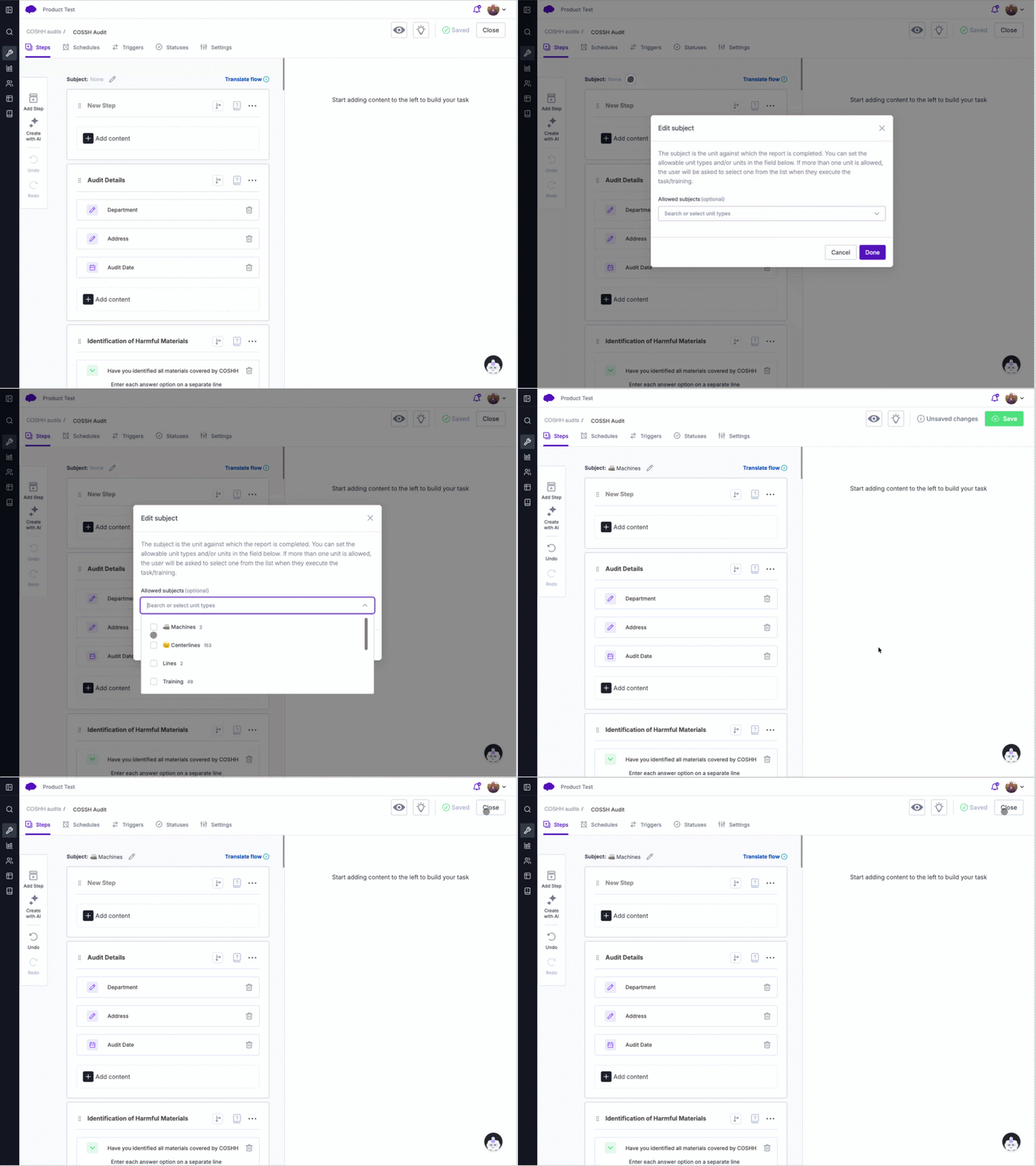
Flow authors can now edit the report subject on an existing flow, removing the need to recreate a flow from scratch when the subject needs to change. When the report subject is updated, schedules are automatically revalidated to ensure everything stays consistent.
A Fresh Look for Intellect IQ
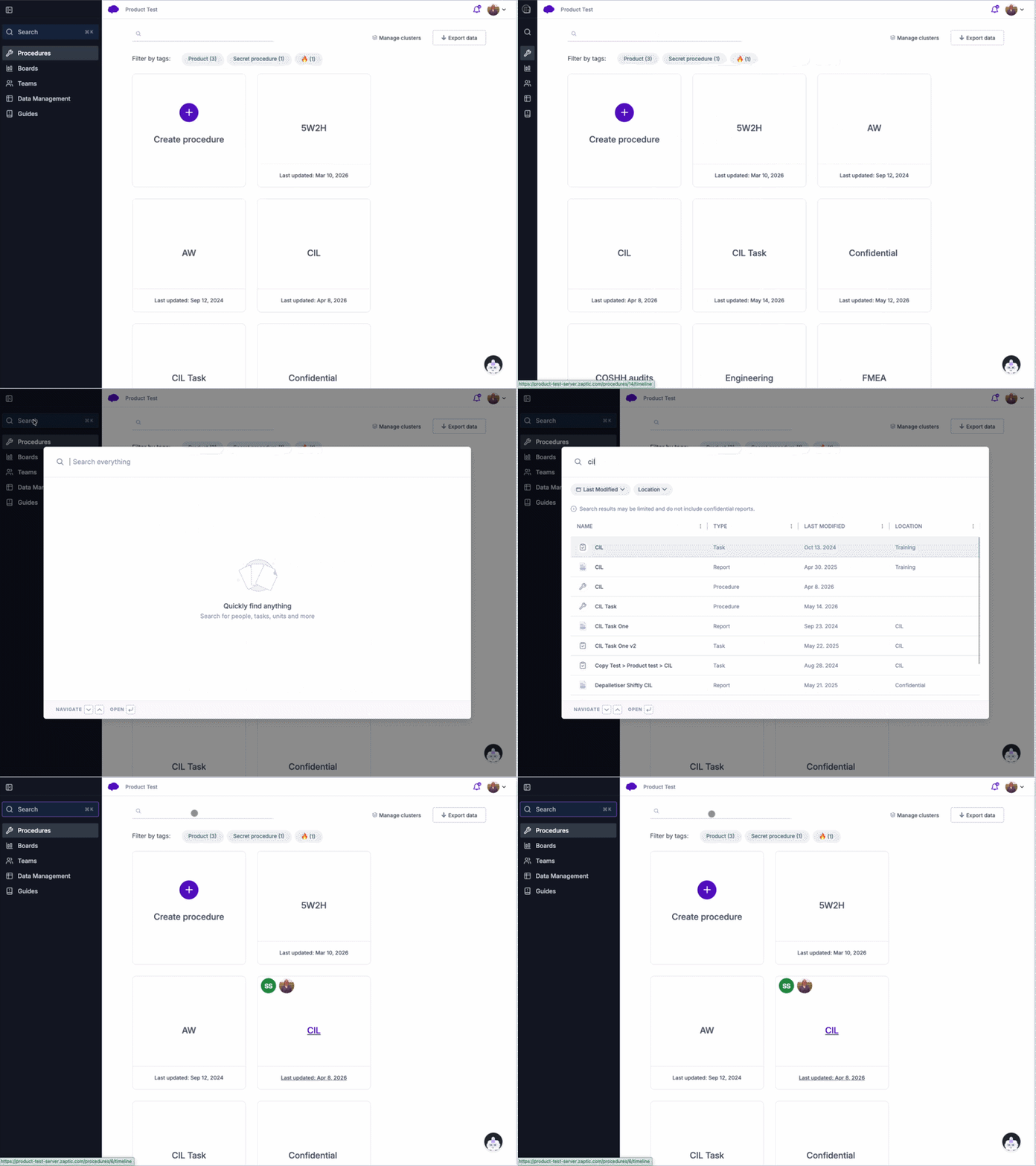
This release brings an updated visual experience in line with our new brand: refreshed icons, updated product naming throughout the interface, and a new collapsible side navigation replacing the previous top nav. The side nav gives you quicker access to key areas of the product while keeping the main workspace uncluttered — and can be collapsed when you need more room to focus.
Smarter unit selection with contextual filtering
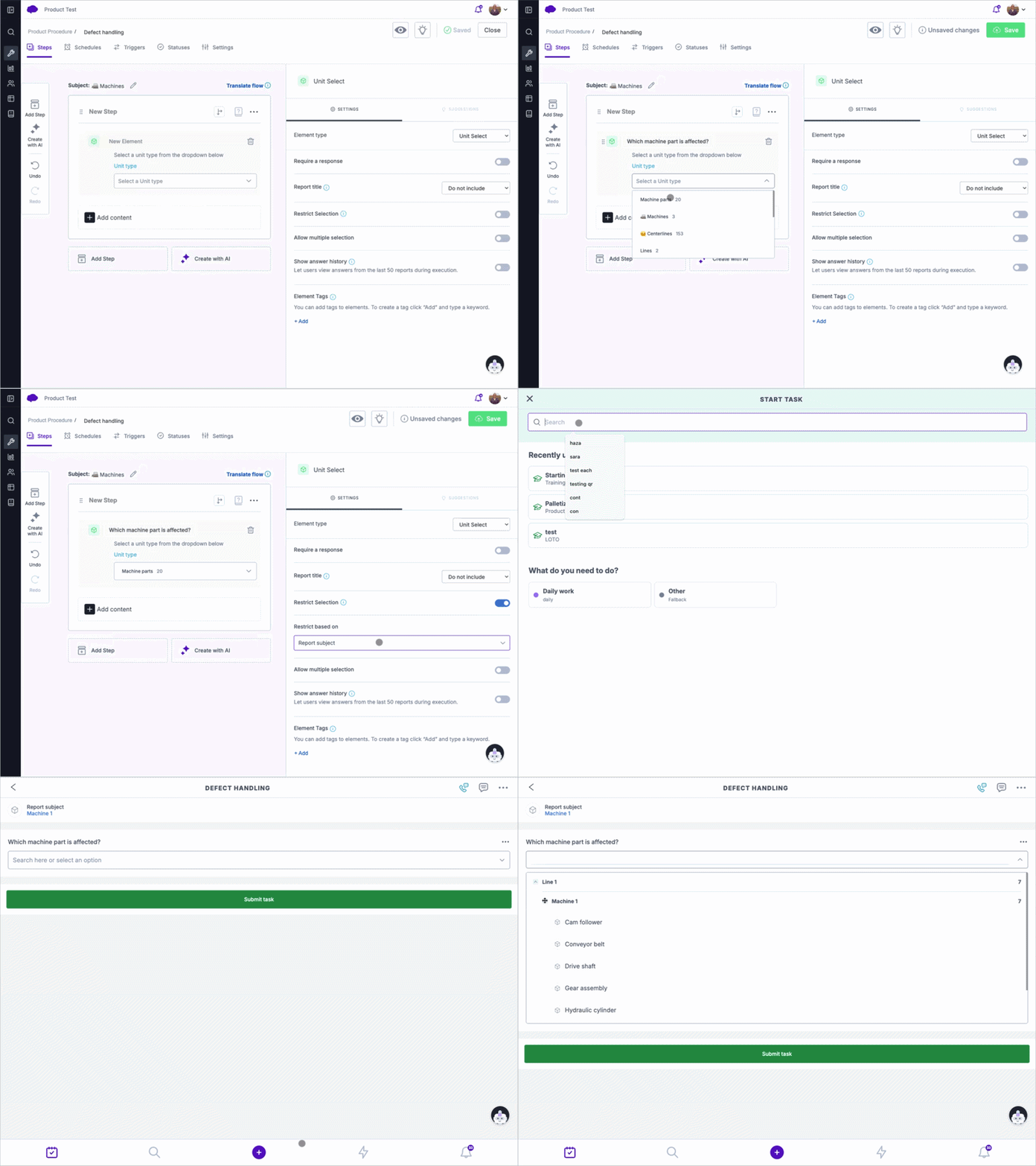
Flow authors can now restrict unit select inputs so that operators are only shown options relevant to their current context — filtered by report subject, a parameter, or a previous answer in the flow. This reduces the risk of incorrect selections and cuts down on the admin overhead of correcting mistakes after the fact. The filter is configured at authoring time, and if no valid options are available at execution time, operators are shown a clear explanation rather than an empty or confusing selector.
Organise Work Your Way with Clusters
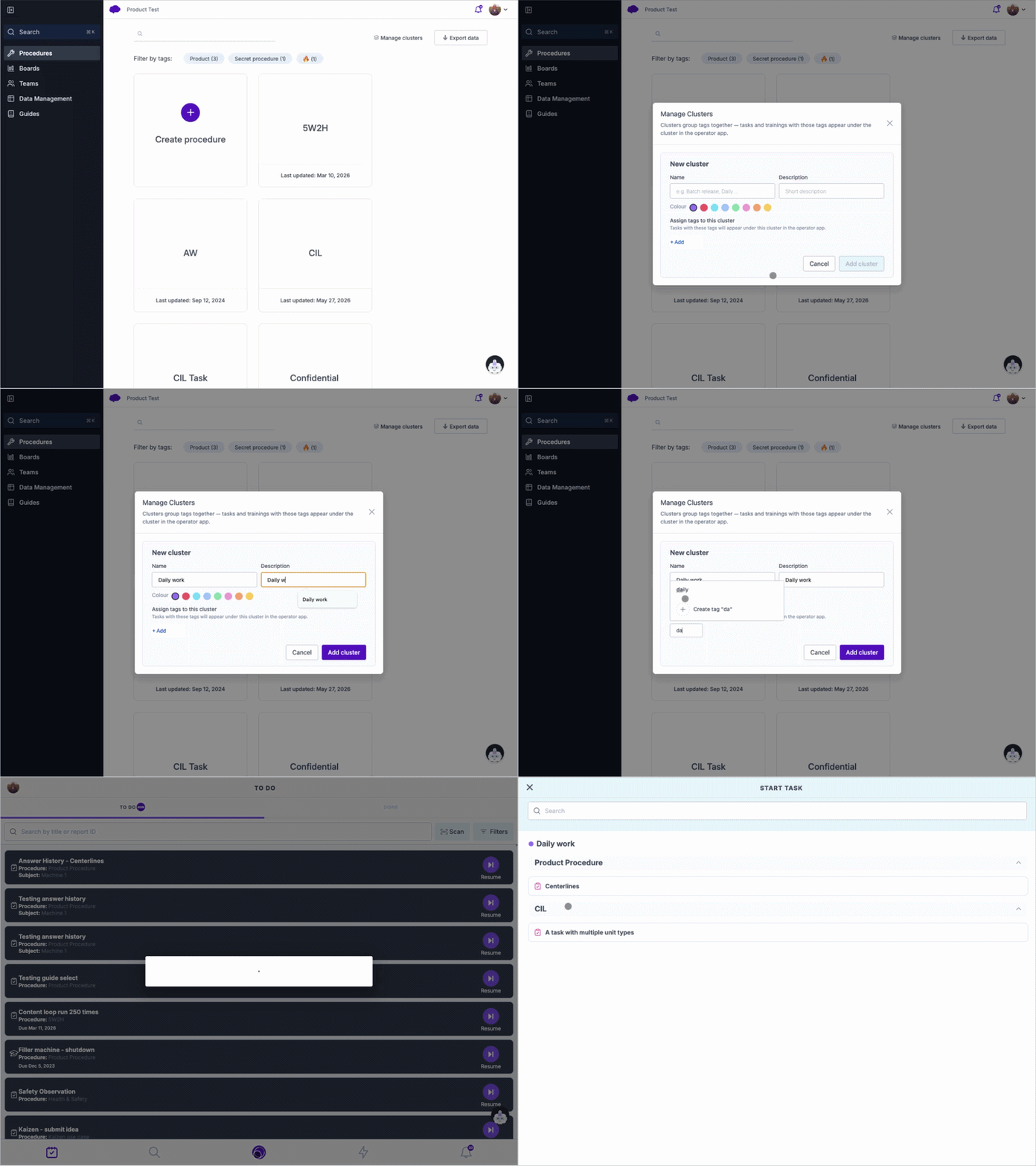
Operators can now find what they need more quickly with Clusters — a new way to group and organise work in the ad hoc menu. Admins can define custom groupings based on tags, making it easy to surface the right tasks in the right context, for example grouping all daily tasks together or consolidating defect reporting under a single "Report a Problem" bucket. Any work that doesn't fall into a defined cluster is automatically collected into an "Other" group so nothing gets lost. The result is a cleaner, more intuitive experience for operators navigating their day.
Fixes
The following fixes have been fixed as part of this release:
- On login, users are directed to the settings screen instead of the to-do list.
- Creating actions from Huddle boards fail sometimes without an error.