
Video released on 05/09/2023
To Do Page
You'll find your assigned tasks, training, and actions in the app under the To Do tab.
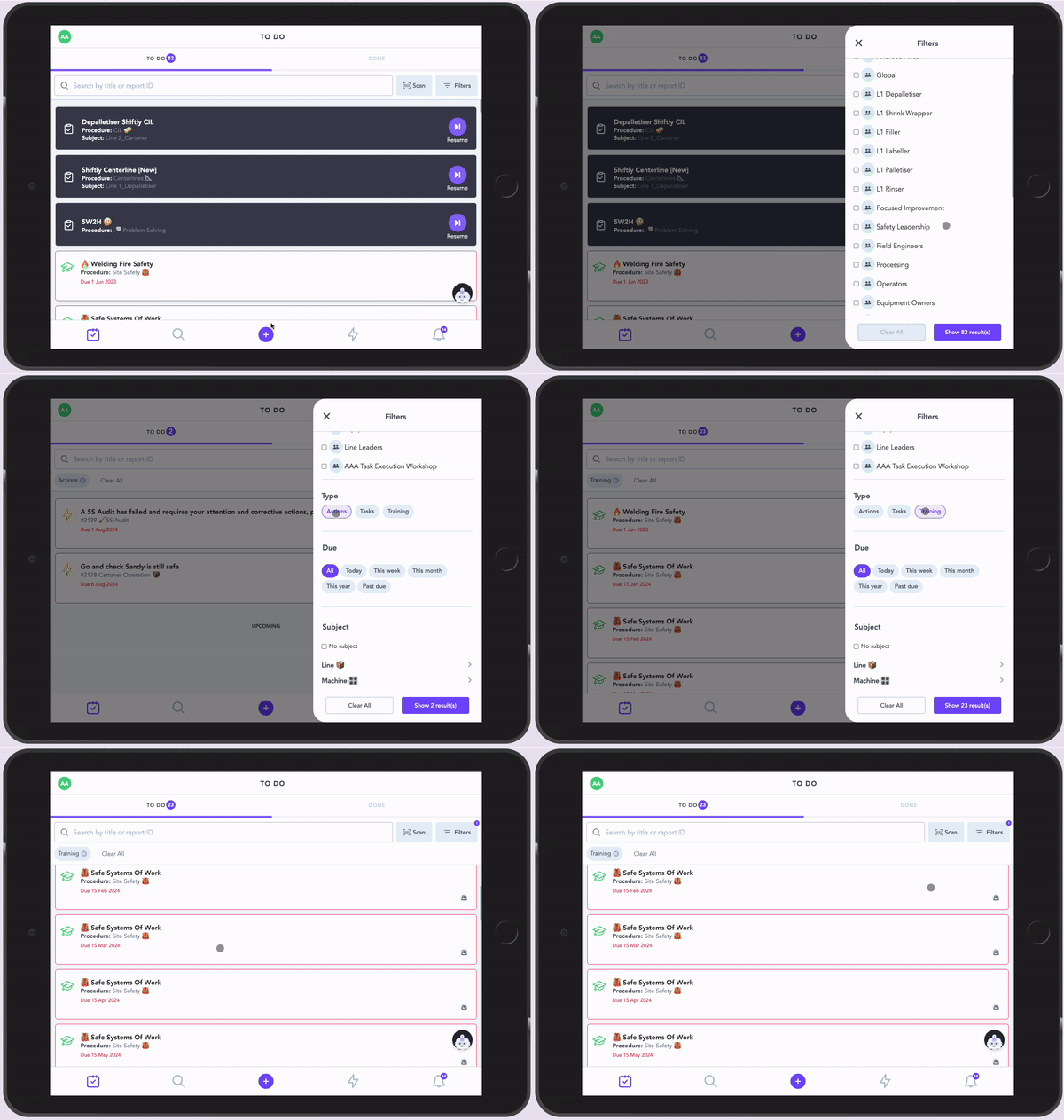
This tab lists everything scheduled for you or your team, ordered by due date. It's filterable and searchable, so you can review items for a specific area or machine.
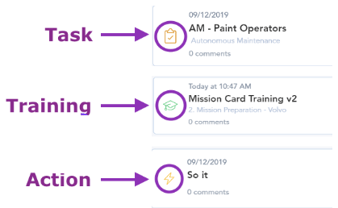
Tap an item in the To Do list to start it. Items are one of three types: Task, Training, or Action.
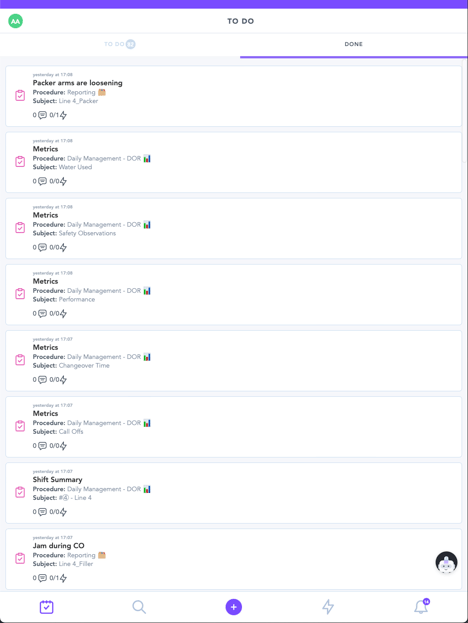
Done Page
The Done tab lists tasks, training, and actions your account has completed. A completed task or training is called a report.
Open a previously submitted report to:
-
- View the report data
- Add a comment
- Assign an action

- Tag another user in a comment
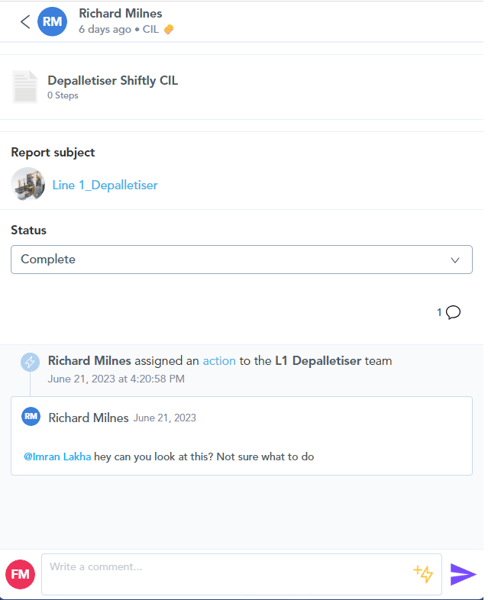
Example: if something about the report needs explaining, add a comment describing what happened.
(+) Ad Hoc Menu
The (+) button opens the ad hoc menu, where you can:
-
- Start recently used tasks or training
- Search for a task or training and start it ad hoc
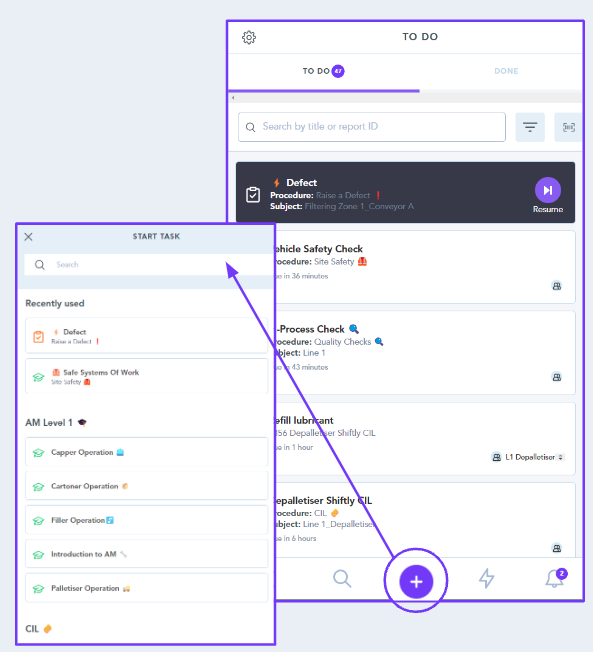
Ad hoc items are grouped into Clusters.
Admins create clusters based on tags. for example, grouping all daily checks together, or consolidating defect-reporting flows under a single "Report a Problem" bucket. Anything not assigned to a cluster is automatically collected into an "Other" group, so nothing gets lost.
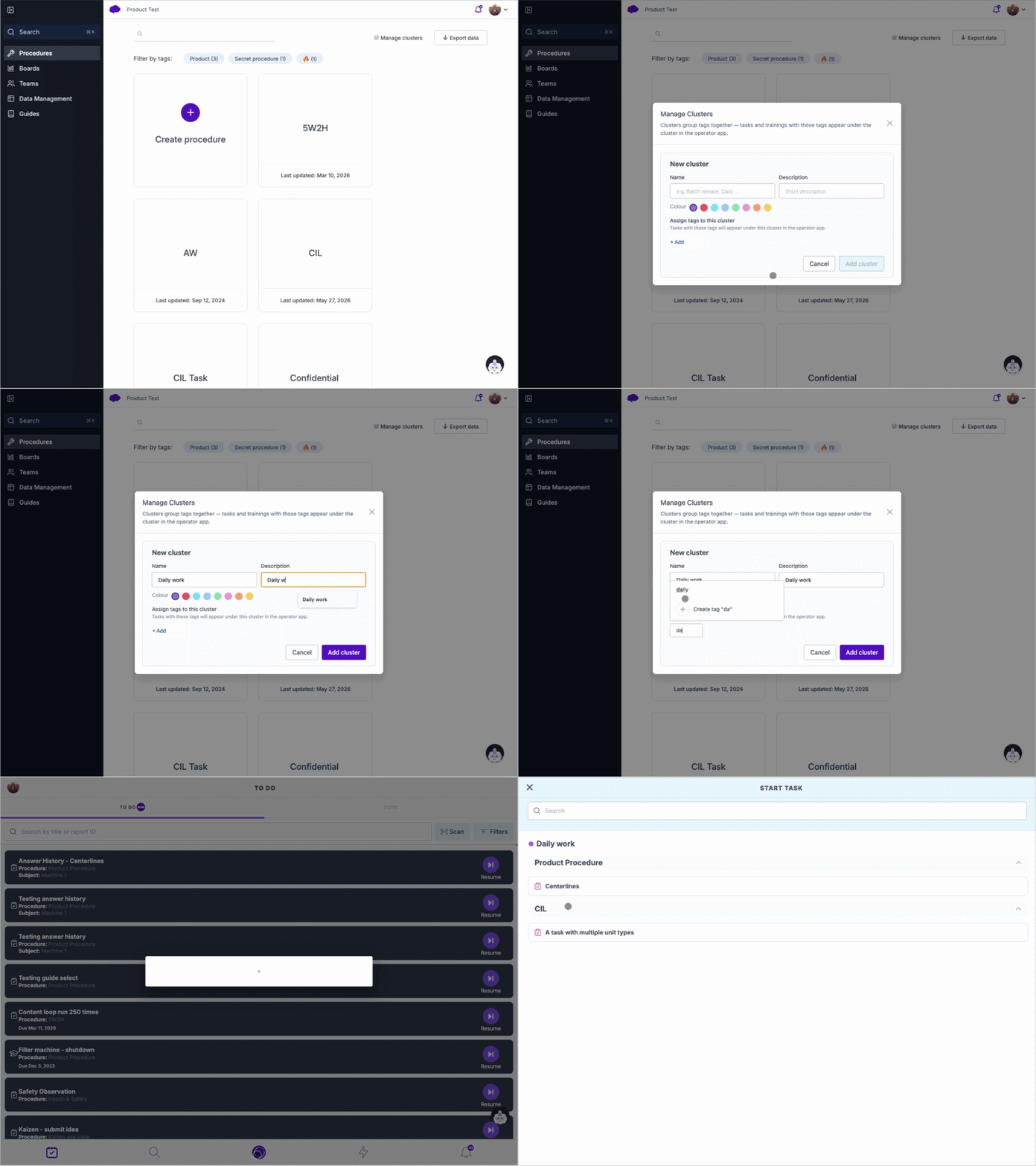
Within a procedure, its tasks and training appear in a collapsible list, so you can expand just the procedure you need instead of scrolling a flat list.