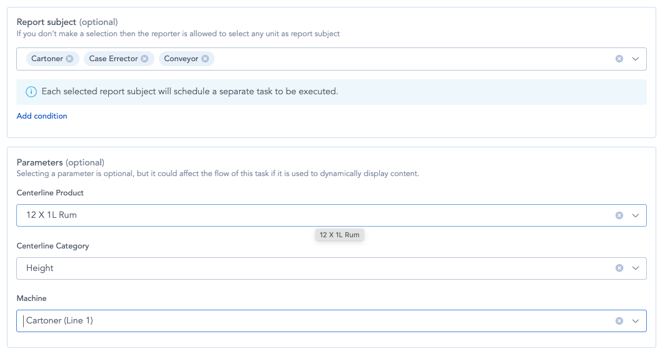
This article walks you through how to configure parameters and use them to dynamically set content loop filters through schedules.
Why use this approach?
Content loop filters can typically be defined in two ways:
- Hard-coded directly within the flow.
- Selected by the operator at runtime.
Hard-coding filters can be really useful when you want to build a simple, fixed experience, like a flow designed for one specific site or team, where dynamic input isn’t needed. On the other hand, parameters are ideal when you want to reuse the same flow across multiple units, keeping things flexible and reducing duplication.
How to set it up
Step 1: Define parameters in the flow
- Navigate to the Settings section of your flow.
- Add parameters corresponding to each filter you plan to use.
- Make sure the unit type of the parameter matches the unit type of the parent filter.
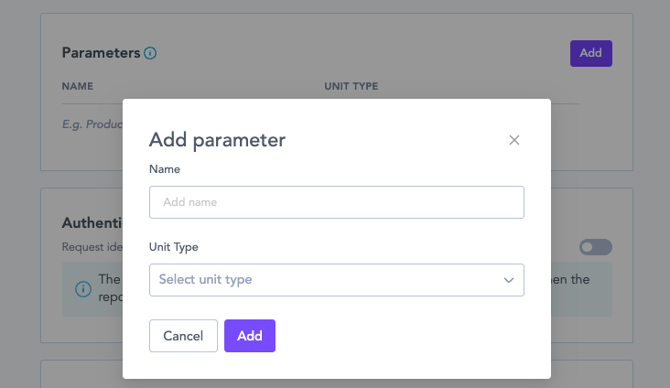
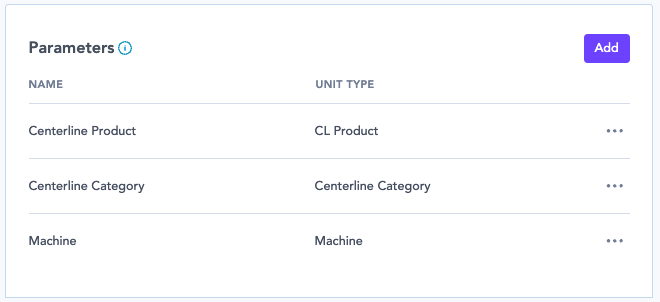
Example:
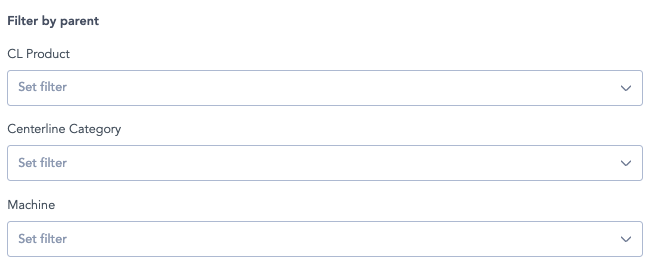
If your content loop uses filters for CL Product, Centerline Category, and Machine, create one parameter for each of these unit types.
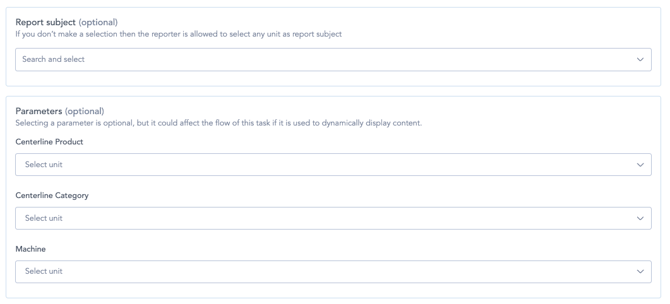
Step 2: Configure parameters in the schedule
- Go to your Schedules.
- For each unit type, create a separate schedule (since only one parameter per unit type can be selected at a time).
- Assign the appropriate values for each parameter within the schedule settings.
Step 3: Link filters to parameters
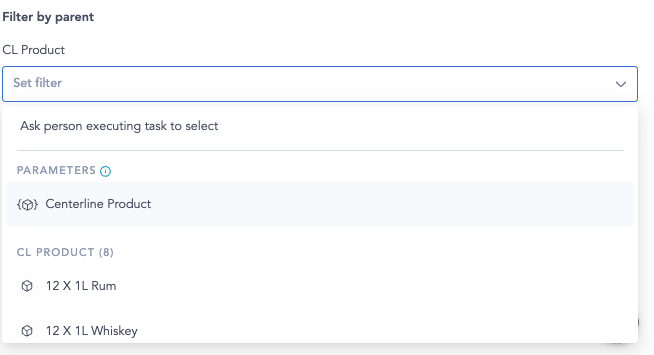
Once parameters are set up and schedules are configured, go back to your content loop filters.
Set each filter to use the corresponding parameter instead of a hard-coded value.
This allows the flow to dynamically adjust based on the unit selected in the schedule.
Frequently asked questions
Q: What happens if no parameter is defined in the schedule, but the filter is set to use parameters?
A: The system will prompt the operator to manually select the filter during task execution.
Q: What if multiple units are selected as report subjects?
A: Each unit will generate a separate to-do item. For example, selecting 3 units will result in 3 tasks, each using the parameter values assigned in the schedule.