How to access the Zaptic portal
- Navigate to my.zaptic.com
- This can be done on computers or mobile devices/tablets
- We recommend Google Chrome where possible
The four main tabs of the Zaptic portal
- Procedures
- Boards
- Teams
- Data-management
1. Procedures
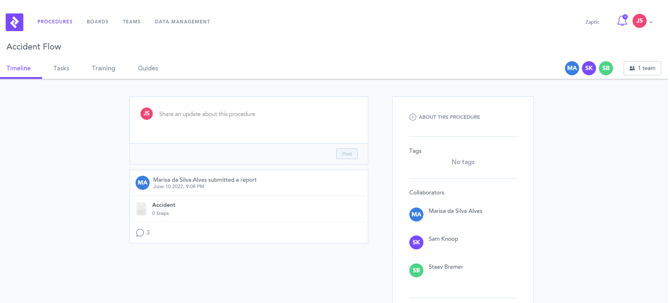
The procedures page is where workflow authoring takes place within Zaptic.
Procedures are like folders and contain tasks or training workflows that produce reports or a training matrix. Collaborators on a procedure can work together to create and edit workflows, and procedures also contain a guides page to house any relevant supporting documentation.
2. Boards
The boards tab within the portal contains dashboards to present data collected using Zaptic. Here information and metrics about submitted reports can be presented and visualised.
Dashboards can vary for each different use-case, but often contain a variety of tables and graphs to present different data collected from reports submitted using Zaptic.
3. Teams
The teams tab is where all user management is handled.
Here you can see the users with access to the Zaptic instance, and you can also invite new users through this page. You can also manage teams through this tab, grouping users together to be assigned to procedures.
4. Data-management
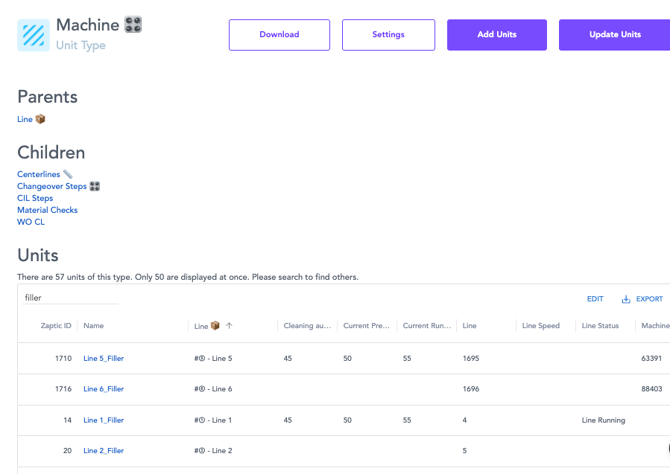
The data-management page contains all the units created for an instance within Zaptic. Unit types are often grouped to be machines, lines, departments etc, and these can be connected through a hierarchy system to create relationships.
For example, the Conveyor Belt which is part of the unit type 'Machine', and linked to an 'Area' unit type named Line 1 - which would create a relationship between the machine unit and the line unit above it. The hierarchy could then be followed from the machine, up to the line, then perhaps even further to the department or even the site.

Within Zaptic, hierarchy relationships are often described using 'Parent' and 'Child' terminology. For a hierarchy that follows Machine > Line > Department, the Line unit type would be the child or the department unit type, but the parent of the machine unit type.
From this page you can navigate to different units to view information for each unit and to see the reports submitted against them. You could navigate to a specific machine using this tab, and see all reports submitted with this machine as the report subject.