Portal Functions
The Portal is the central hub for your role as a Super User. It enables you to:
- Create and maintain Procedures, while tracking and visualizing execution.
- Review Boards for a high-level, visual understanding of captured data.
- Create and manage Teams and invite Users to the platform.
- Build and maintain data structures that mirror your shop floor hierarchy in Data Management.
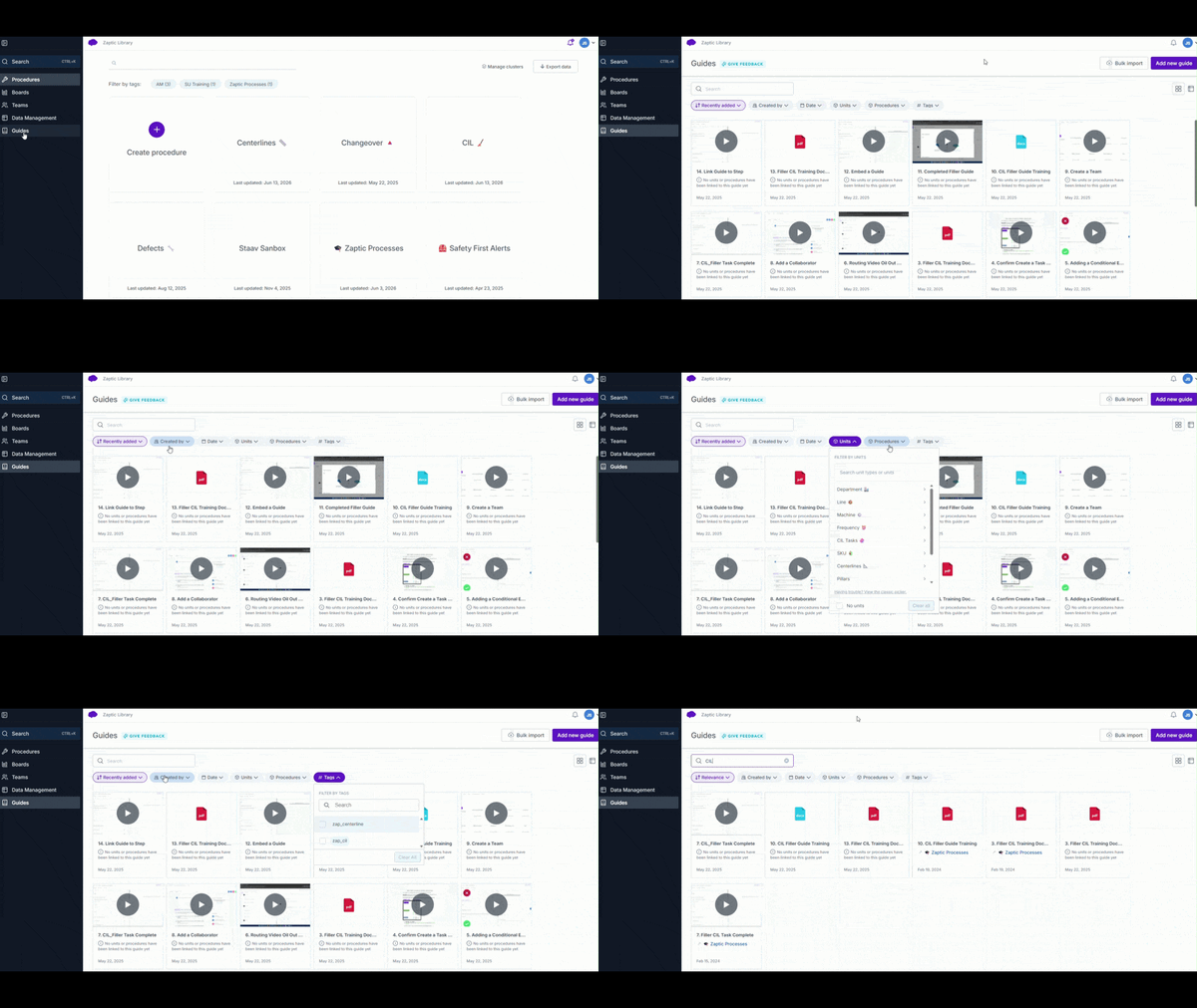
- Access all Guides in one unified, searchable knowledge hub for faster information discovery.
Procedures
A structured, folder-like area designed to organize related content and tasks.
Within Procedures, you can:
-
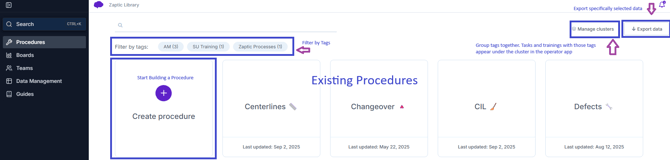
- Create and manage procedures
- Filter procedures using tags
- Export generated data for reporting and analysis
1a. Procedure - Timeline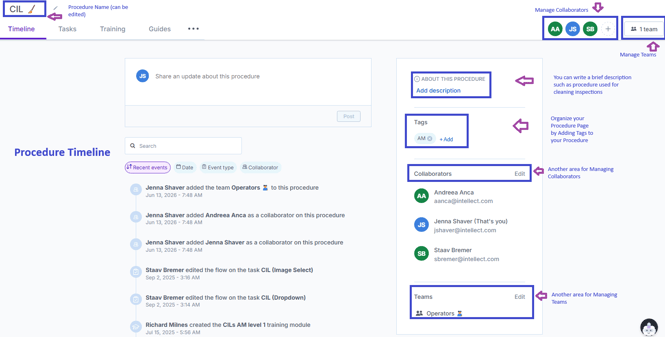
1b. Procedure - Task Page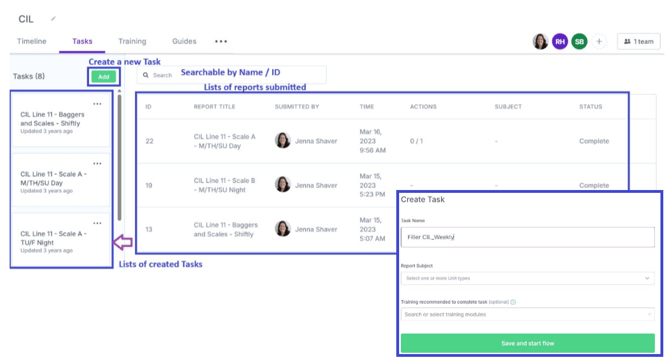
Boards
Note: Available only to users with “Boards” permissions.
Boards provide a visual aggregation of captured data to support operational insights.
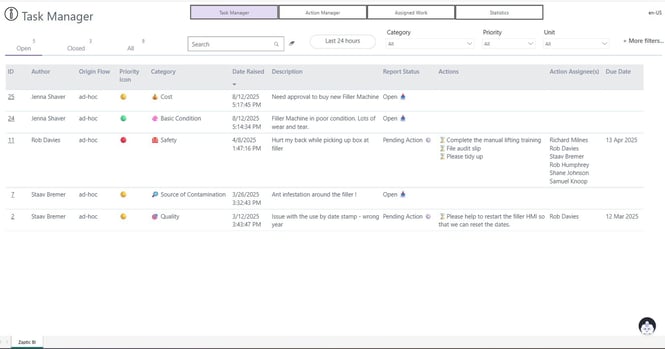
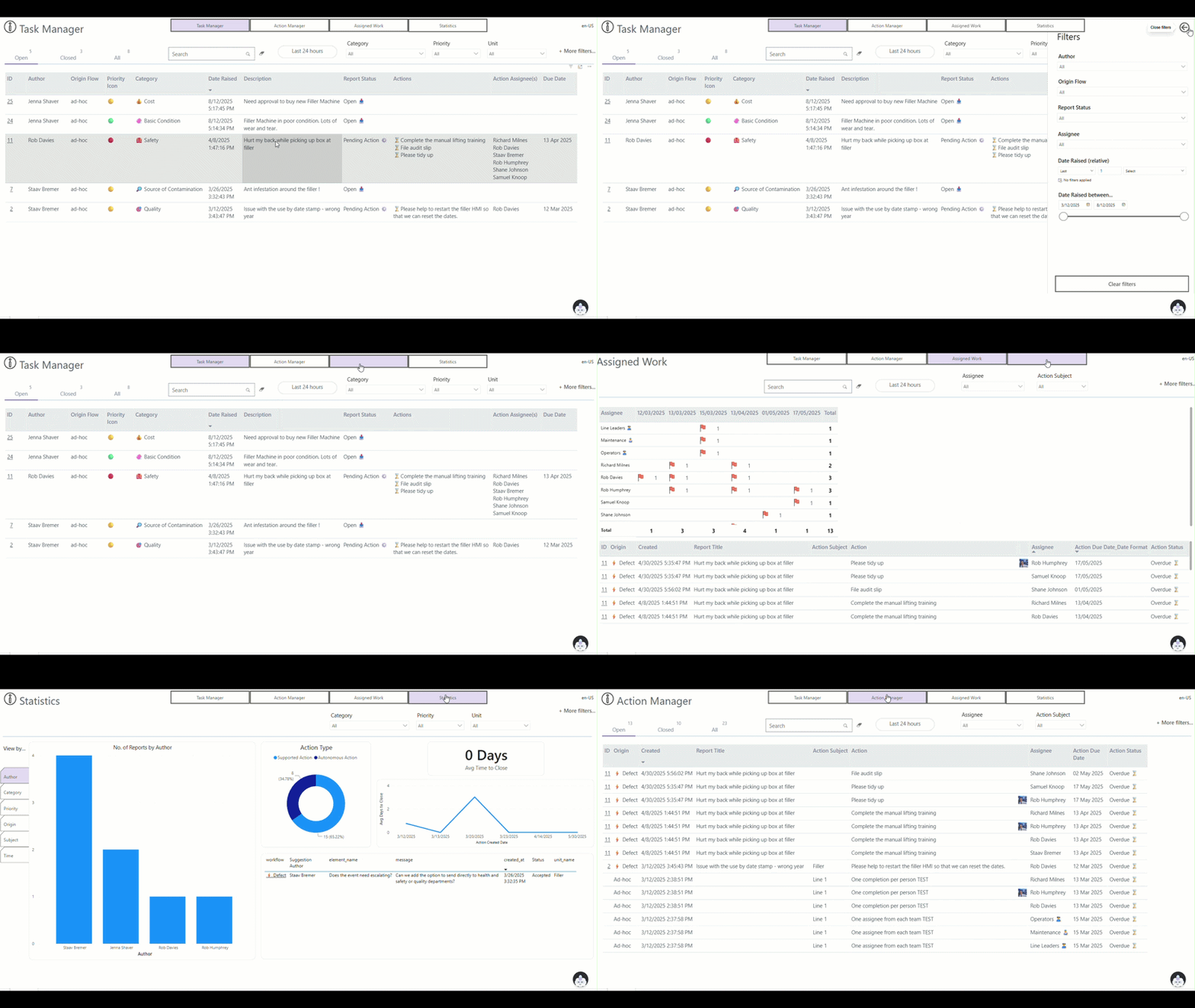
- The Task Manager Board is included by default and enables granular issues and action tracking.
- It displays both detailed and aggregated data, helping drive accountability and adherence.
- Analytical dashboards present data in charts and graphs to support informed decision-making on the shop floor.
- Data can also be exported directly from Boards for further analysis.
Teams
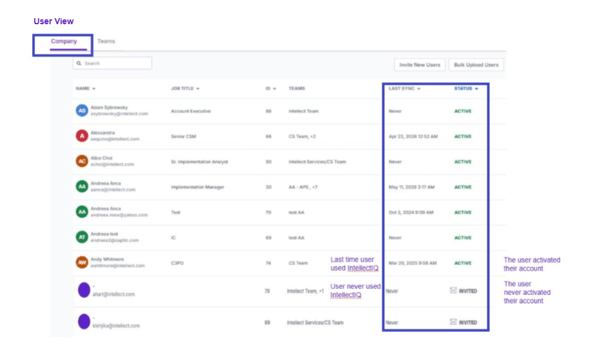
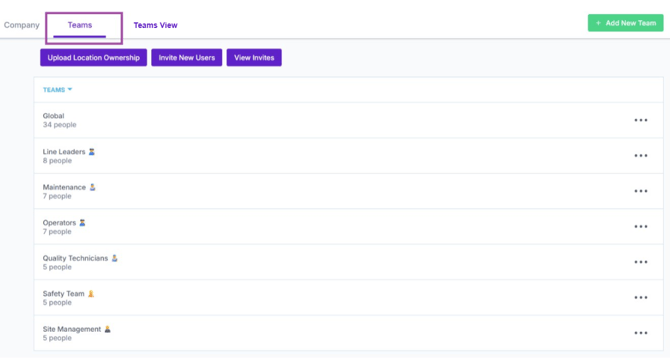
A centralized area to view and manage users and teams.
Within Teams, you can:
-
- Update user permissions to control access levels
- Invite or re-invite users
- Monitor training compliance by team or individual
- Export training compliance data to Excel
- Import users in bulk using a template
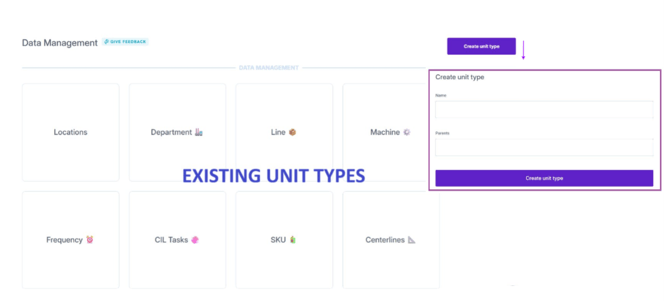
Data Management
The area where master data, including equipment hierarchies, is created and maintained.
Within Data Management, you can:
-
- Create and manage hierarchical relationships
- Add new assets, areas, or lines to your structure
- Store and maintain master data
- Apply barcode scanning and other attributes to units
Units represent any item on the shop floor, such as a line, machine, or department.
Units are organized into folders known as Unit Types.

Guides
All guides are unified in a single, centralized hub.
-
- Quickly search across your entire knowledge base
- Access information spanning all procedures and units
- Surface relevant content faster and more efficiently