Video released on 30/08/2024
Tags are an easy way to organize, find, and connect the content and data you need within Zaptic.
Tags can be added to different areas of the platform to make content easier to search, improve reporting accuracy, and support integrations. Tags are especially useful because they allow content and data to be referenced consistently, even if names, titles, or labels change over time.
Procedure Tags
Procedure tags help users organize, search, and filter Procedures in the Portal. They can be used to group Procedures by area, machine, line, process, user group, topic, or other relevant categories.
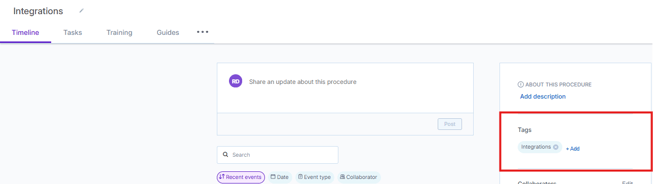
To add a Procedure tag, open the Procedure timeline, select + Add, and begin typing the tag name. Intellect will recommend previously used tags to support standardization.

Guide Tags
Guide tags help users organize, search, and filter Guides in the Portal. They are often used for dynamic guide filtering within any given Zaptic flow.
For more information on Dynamic Guides, read the Home For Guides article.
-
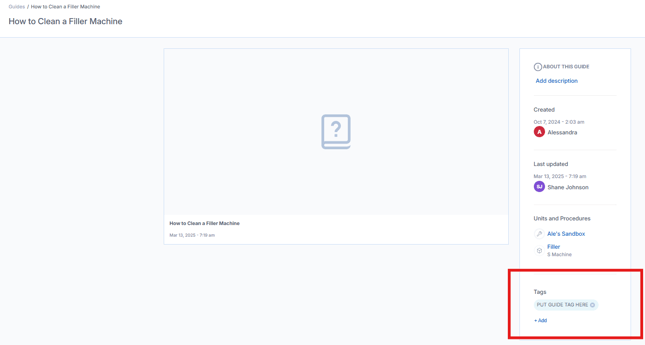
To add a single Guide tag, open the Guide and use the right hand panel to add a tag.
-
Select from previously created tags to support standardization.
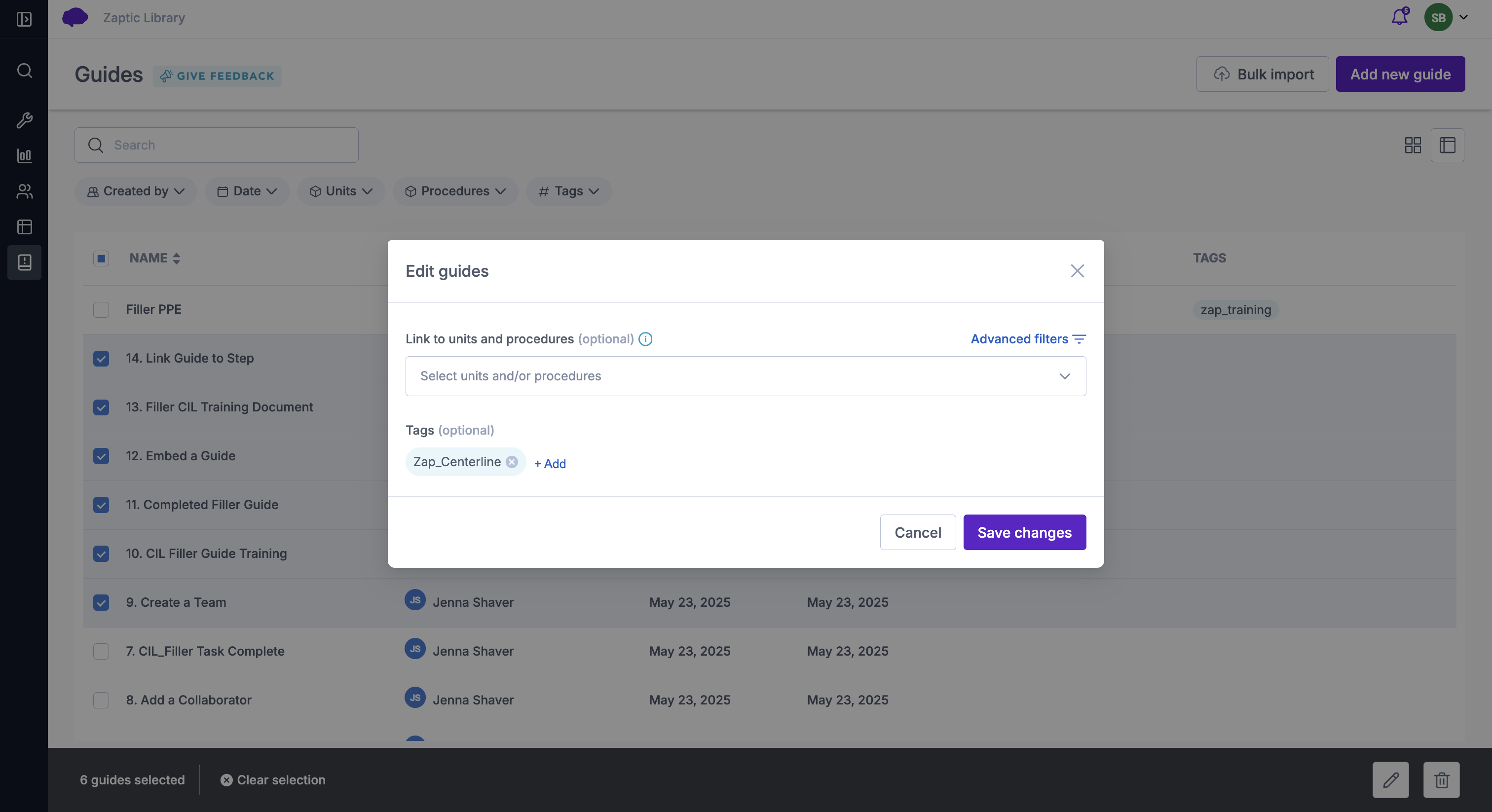
- To multi-add guide tags, select all relevant guides, click the pencil icon to edit and add the tag(s)
Flow Tags
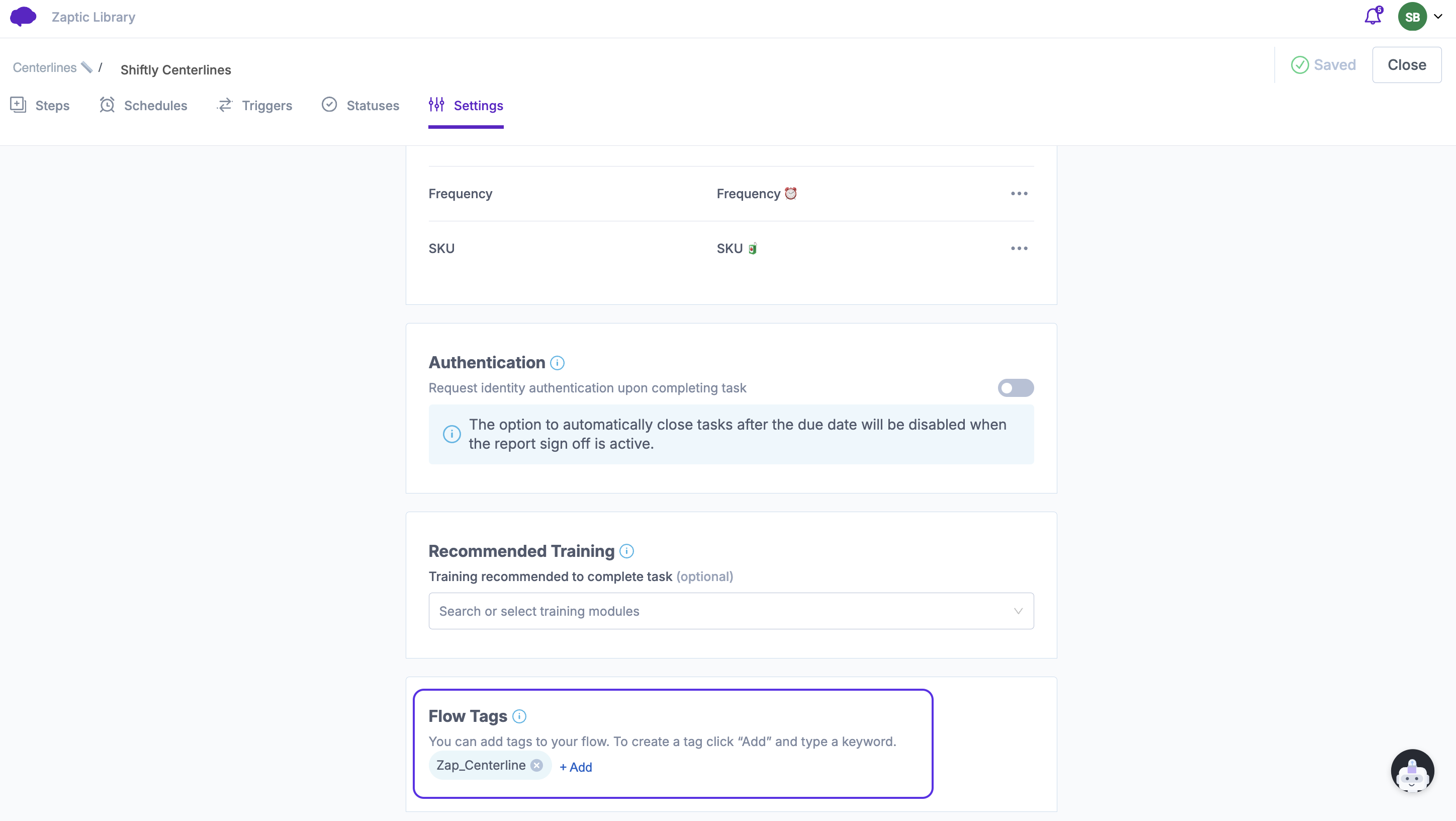
Flow tags support the maintenance of reporting and integration. Rather than using the flow name which is subject to change with language adaptations or other user feedback, tags are used to ensure the desired information flow can exist regardless of name.
Within any task or training flow, tags can be added in the settings tab.
Element Tags
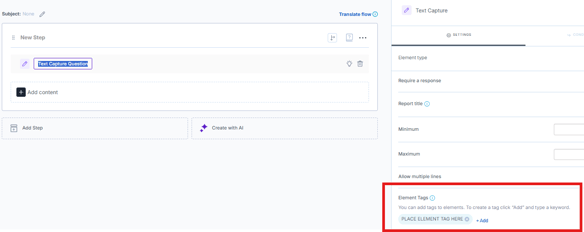
Element tags identify specific questions within a Flow. They ensure data visualised in boards or used for integrations references the correct element without relying only on it's title.
To add an Element tag, select the element within the Flow, open the settings panel, and select + Add Element Tags.
Answer Tags
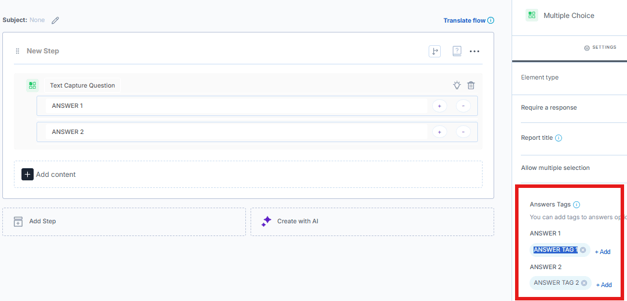
Answer Tags can be added to specific answer choices within elements that use predefined answer options, such as dropdown, multi-select, or similar selection-based elements.
These tags help group, filter, and visualize collected data more meaningfully in dashboards and reports by attaching a consistent label to selected answers.
To add an Answer Tag, open the relevant question element, select the answer choice, and apply the appropriate tag.