
Understanding the difference between the IntellectIQ Portal and the App
The platform is made up of 2 key components:
-
-
- The Portal
- The App
-
While both parts work together seamlessly, they serve distinct purposes for different users.
The Portal
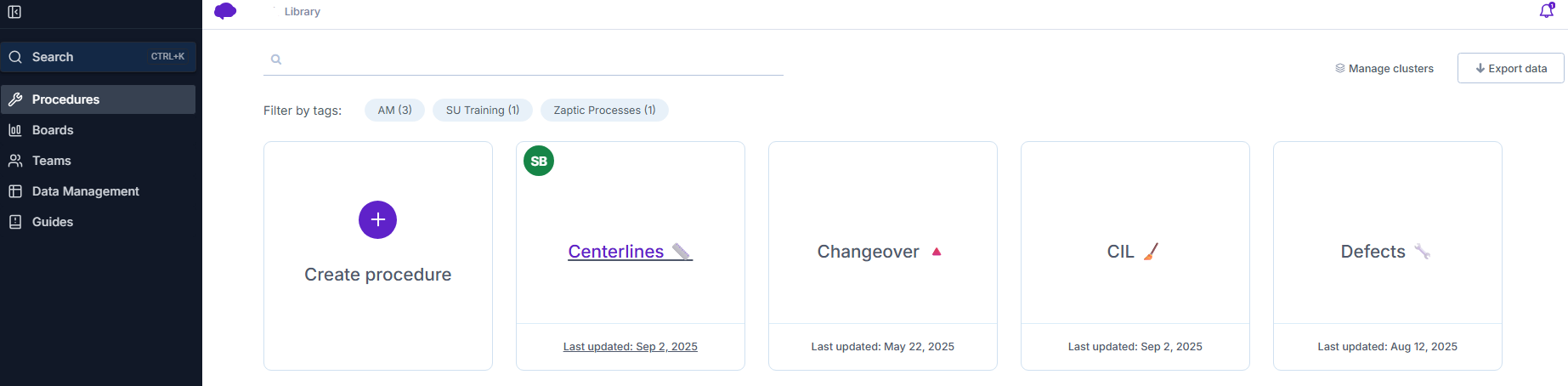
The Portal is the administrative and management side of IntellectIQ. It is primarily used by Subject Matter Experts (SMEs), managers, and administrators to create, manage, and monitor operational content and data.
In the Portal, you can:
-
-
- Create and manage Procedures
Build, maintain, and distribute procedures, while tracking and visualizing their reporting execution. - Monitor performance through Boards
Review boards for a high-level, visual overview of operational data and inputs. - Manage Teams and Users
Create and edit teams and invite users to join the Zaptic platform. - Data Management can be created to mirror the hierarchical structure of the shop floor.
- Access Guides in one central hub
Easily search across your entire knowledge base—including procedures and units—to find information quickly and efficiently.
- Create and manage Procedures
-
The App
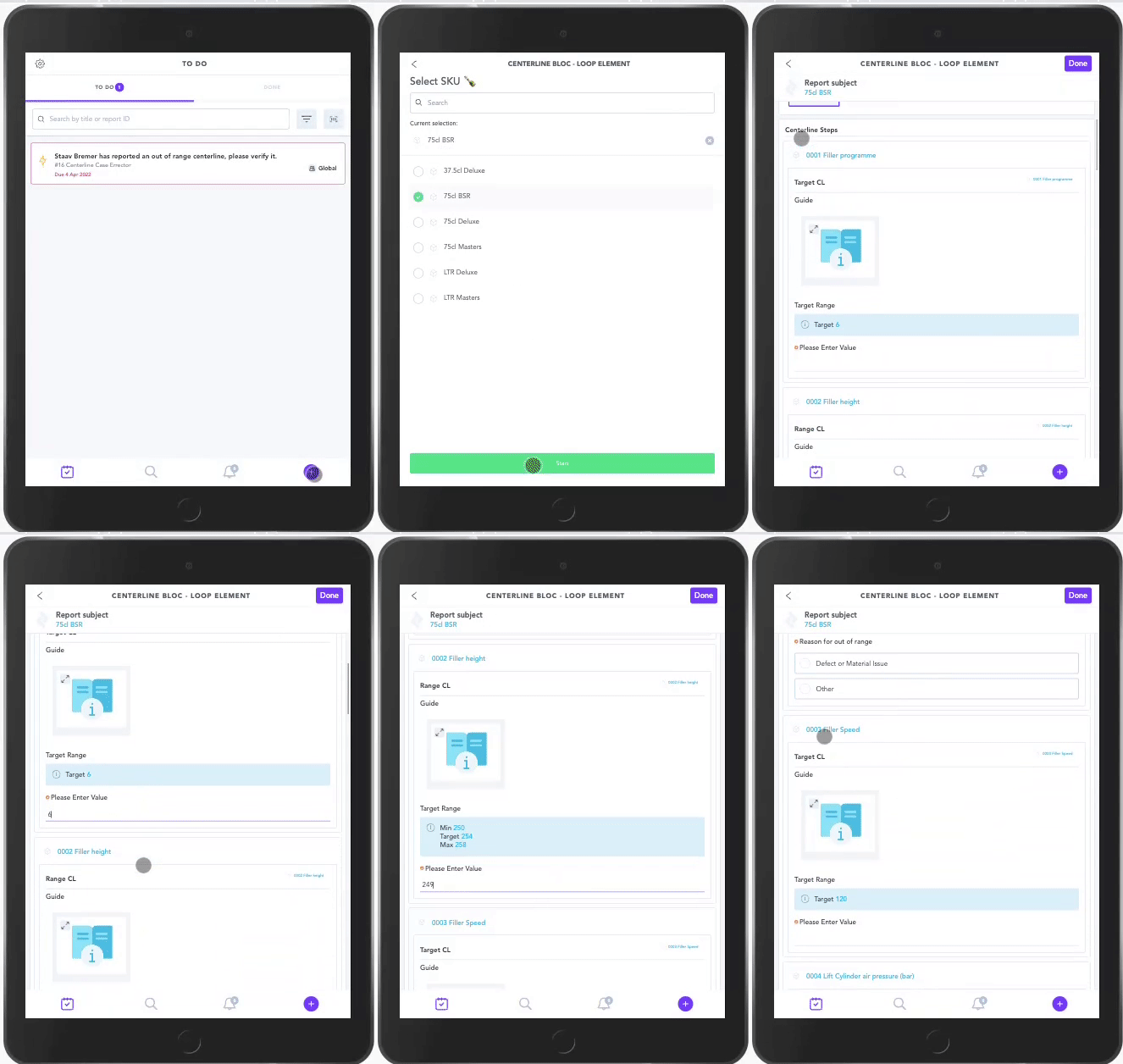
The App is designed for front-line users, such as operators and technicians. It provides a simple and intuitive interface for carrying out daily tasks and accessing the information they need in real time.
In the App, users can:
-
-
- Complete scheduled and ad-hoc tasks
Execute assigned work quickly and efficiently. - Assign and close actions
Manage follow-up actions directly from the field. - Access equipment guidance and master data
View relevant procedures and information linked to their responsibilities. - Review activity history
See a timeline of past events and completed tasks for better visibility and traceability.
- Complete scheduled and ad-hoc tasks
-
In Summary
-
-
- The Portal is where content is created, managed, and analyzed.
- The App is where work is executed and tracked in real time.
-
Together, they ensure that the right information is delivered to the right people—both in planning and execution.
Platforms - Access
App: app.zaptic.com

Portal: https://my.zaptic.com
*Google Chrome is the preferred browser